#> [1] 31254
Predicates, Simplification & Tesselations
We learned about the SRS (Spatial Reference Systems)
They can be geographic (3D, angular units)
Ellipsoid (squished sphere model)
geoid (mathematical model of gravitational field)
datum marks the relationship between the ellipsoid and geoid
can be local (NAD27)
can be global (WGS84, NAD83)
SRS can be projected (x-y axis, measurement units (m), false origin)
All PCS are based on GCS
Projections seek to place the 3D earth on 2D
Does this by defining a plane that can be conic, cylindrical or planar
“unfolding to this plane” creates distortion of shape, area, distance, or direction
The distortion is greater from point/lines of tangency or secancy
Measures are the questions we ask about the dimension of a geometry
How long is a line or polygon perimeter (unit)
What is the area of a polygon (unit2)
How far are two object from one another (unit)
Measures come from the GEOS library
Measures are in the units of the base projection
Measures can be Euclidean (PCS) or geodesic (GCS)
geodesic (Great Circle) distances can be more accurate by eliminating distortion
but are much slower to calculate
#> [1] 31254
When possible measure operations report results with a units appropriate for the CRS:
#> Reading layer `co' from data source
#> `/Users/mikejohnson/github/csu-523c-2026/slides/data/co.shp'
#> using driver `ESRI Shapefile'
#> Simple feature collection with 64 features and 4 fields
#> Geometry type: MULTIPOLYGON
#> Dimension: XY
#> Bounding box: xmin: -109.0602 ymin: 36.99246 xmax: -102.0415 ymax: 41.00342
#> Geodetic CRS: WGS 84
#> units.numerator1 units.numerator2 class
#> "m" "m" "units"
The units package can be used to convert between units:
#> 3062.85 [km^2]
#> 306285 [ha]
and the results can be stripped of their attributes for cases where numeric values are needed (e.g. math operators and ggplot):
#> [1] 3062849758
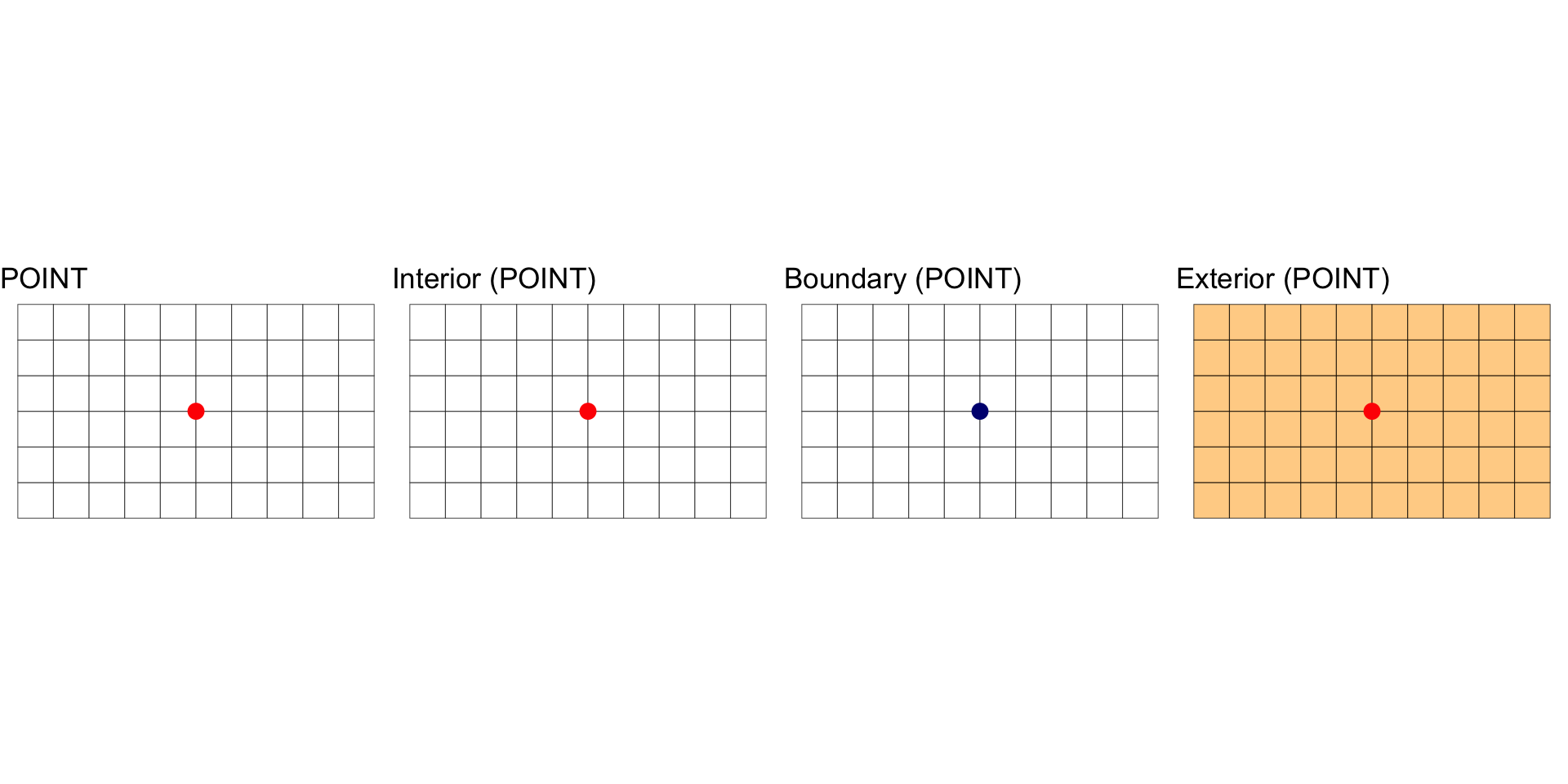
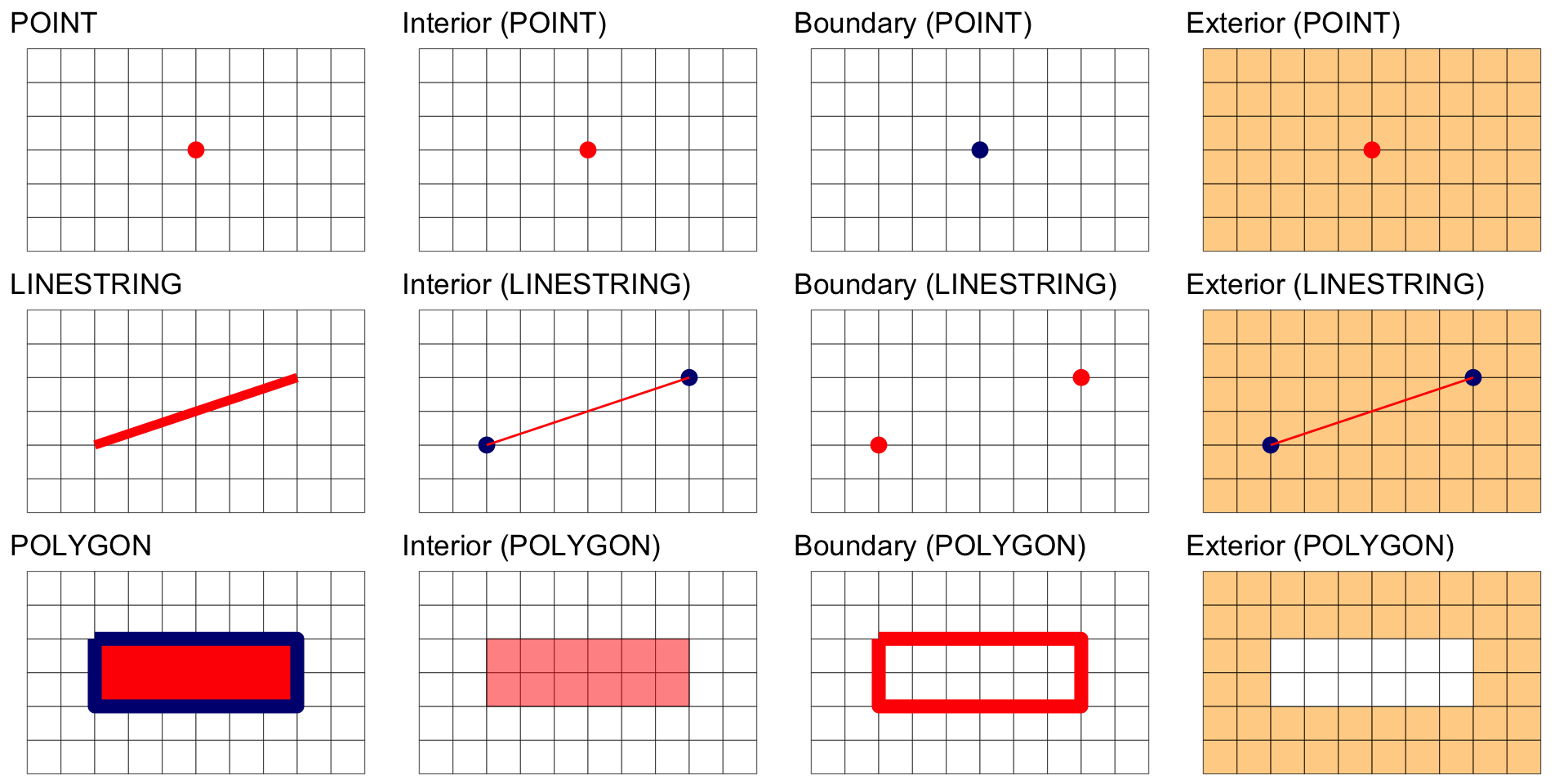
A POINT is a shape with a dimension of 0 that occupies a single location in coordinate space.
#> [1] 0
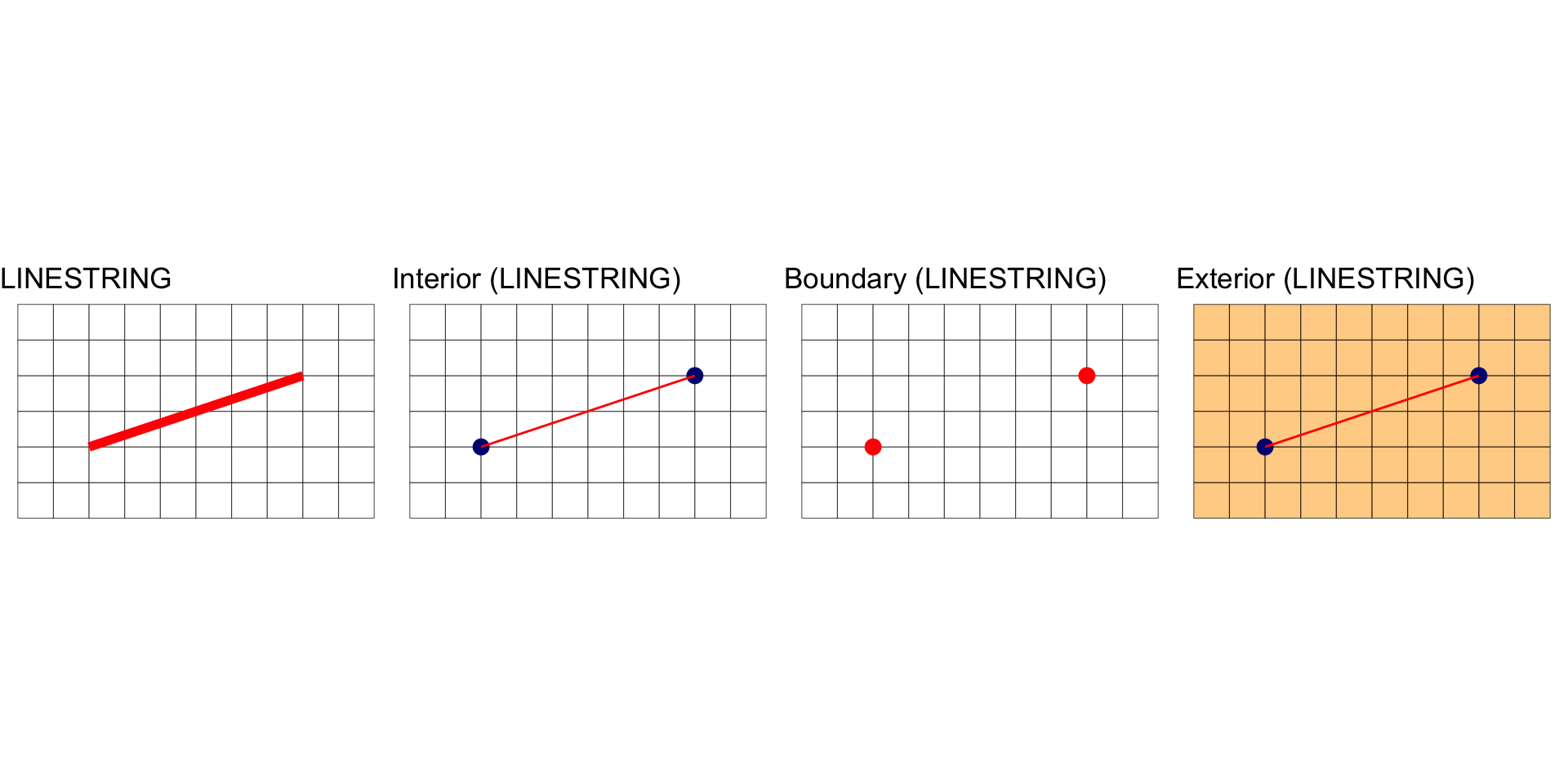
A LINESTRING is a shape that has a dimension of 1 (length)
#> [1] 1
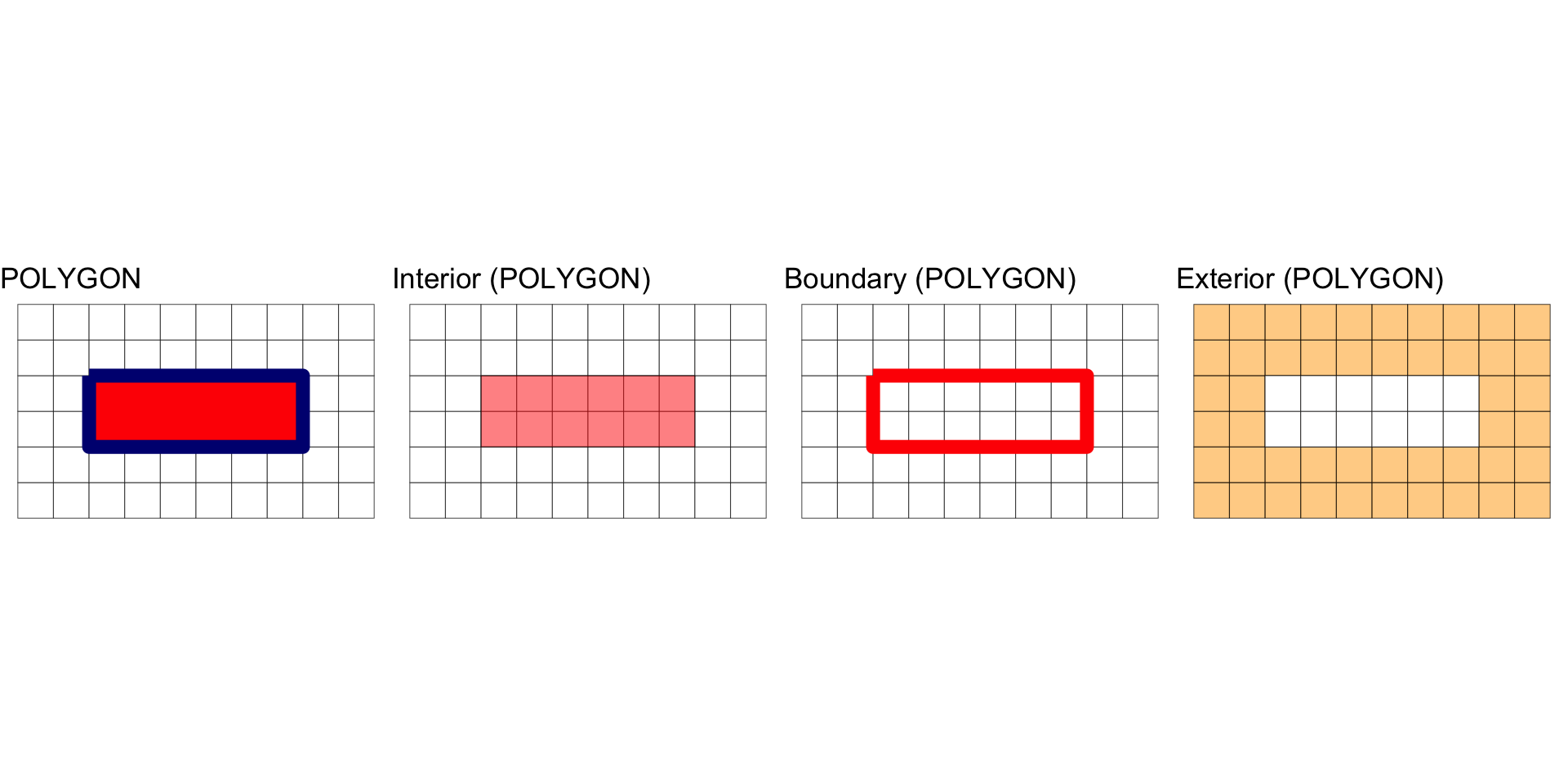
A POLYGON is a surface stored as a list of its exterior and interior rings. It has a dimension of 2 (area)
#> [1] 2
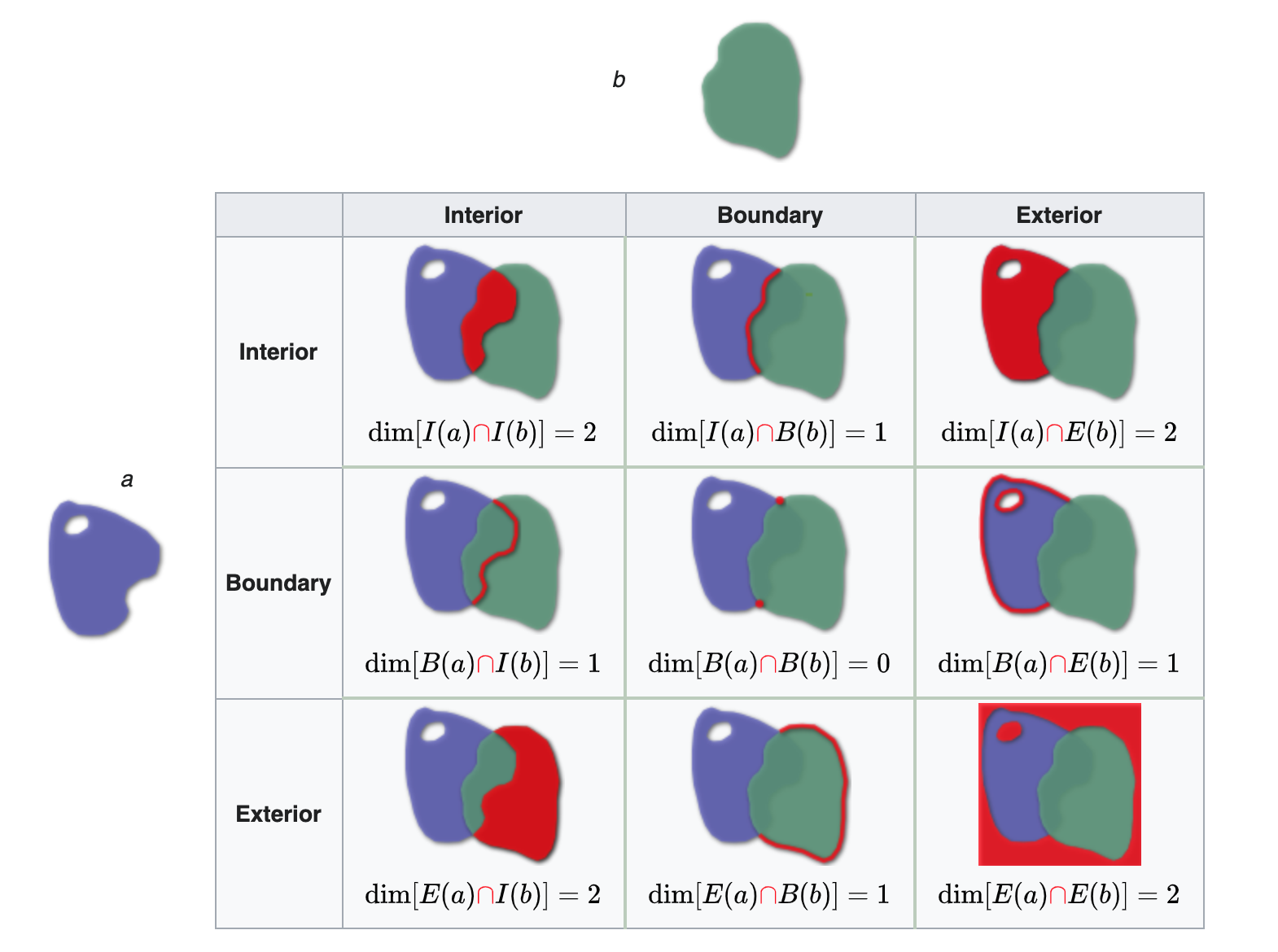
All geometries have interior, boundary and exterior regions.
The terms interior and boundary are used in the context of algebraic topology and manifold theory and not general topology
The OGC has defined these states for the common geometry types in the simple features standard:
| Dimension | Geometry Type | Interior (I) | Boundary (B) |
|---|---|---|---|
| Point, MultiPoint | 0 | Point, Points | Empty |
| LineString, Line | 1 | Points that are left when the boundary points are removed. | Two end points. |
| Polygon | 2 | Points within the rings. | Set of rings. |
In the following, we are interested in the resulting geometry that occurs when 2 geometries are overlaid…


The DE-9IM is a topological model and (standard) used to describe the spatial relations of two geometries
Used in geometry, point-set topology, geospatial topology
The DE-9IM matrix provides a way to classify geometry relations using the set {0,1,2,F} or {T,F}
With a {T,F} matrix domain, there are 512 possible relations that can be grouped into binary classification schemes.
About 10 of these, have been given a common name such as intersects, touches, and within.
When testing two geometries against a scheme, the result is a spatial predicate named by the scheme.
Provides the primary basis for queries and assertions in GIS and spatial databases (PostGIS).
The DE-9IM matrix is based on a 3x3 intersection matrix:

Where:
Empty sets are denoted as F
non-empty sets are denoted with the maximum dimension of the intersection {0,1,2}
A simpler (binary) version of this matrix can be created by mapping all non-empty intersections {0,1,2} to TRUE.
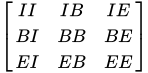
Where II would state: “Does the Interior of”a” overlaps with the Interior of “b” in a way that produces a point (0), line (1), or polygon (2)”
Where IB would state: “Does the Interior of”a” overlap with the Boundary of “b” in a way that produces a point (0), line (1), or polygon (2)”
Both matrix forms:
Can be serialize as a “DE-9IM string code” representing the matrix in a single string element (standardized format for data interchange)
The OGC has standardized the typical spatial predicates (Contains, Crosses, Intersects, Touches, etc.) as Boolean functions, and the DE-9IM model as a function that returns the DE-9IM code, with domain of {0,1,2,F}
Reading from left-to-right and top-to-bottom, the DE-9IM(a,b) string code is ‘212101212’

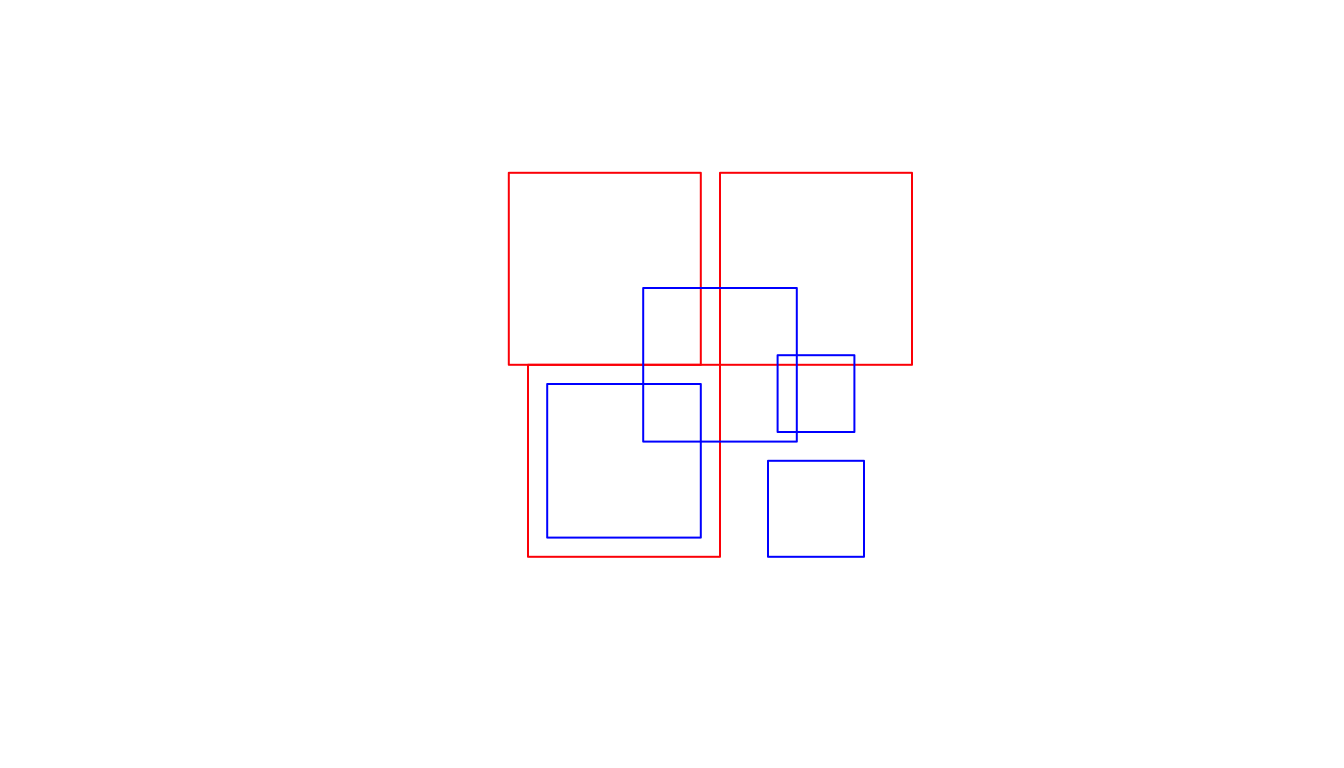
#> [,1] [,2] [,3] [,4]
#> [1,] "212FF1FF2" "FF2FF1212" "212101212" "FF2FF1212"
#> [2,] "FF2FF1212" "212101212" "212101212" "FF2FF1212"
#> [3,] "FF2FF1212" "FF2FF1212" "212101212" "FF2FF1212"
#> [,1] [,2] [,3]
#> [1,] "2FFF1FFF2" "FF2F01212" "FF2F11212"
#> [2,] "FF2F01212" "2FFF1FFF2" "FF2FF1212"
#> [3,] "FF2F11212" "FF2FF1212" "2FFF1FFF2"
#> [,1] [,2] [,3] [,4]
#> [1,] "2FFF1FFF2" "FF2FF1212" "212101212" "FF2FF1212"
#> [2,] "FF2FF1212" "2FFF1FFF2" "212101212" "FF2FF1212"
#> [3,] "212101212" "212101212" "2FFF1FFF2" "FF2FF1212"
#> [4,] "FF2FF1212" "FF2FF1212" "FF2FF1212" "2FFF1FFF2"
“named spatial predicates” have been defined for some common relations.
A few functions can be derived (expressed by masks) from DE-9IM include (* = wildcard):
| Predicate | DE-9IM String Code | Description |
|---|---|---|
| Intersects | T*F**FFF* |
“Two geometries intersect if they share any portion of space” |
| Overlaps | T*F**FFF* |
“Two geometries overlap if they share some but not all of the same space” |
| Equals | T*F**FFF* |
“Two geometries are topologically equal if their interiors intersect and no part of the interior or boundary of one geometry intersects the exterior of the other” |
| Disjoint | FF*FF***** |
“Two geometries are disjoint: they have no point in common. They form a set of disconnected geometries.” |
| Touches | FT******* |
F**T***** |
| Contains | T*****FF** |
“A contains B: geometry B lies in A, and the interiors intersect” |
| Covers | T*****FF* |
*T****FF* |
| Within | *T*****FF* |
**T****FF* |
| Covered by | *T*****FF* |
**T****FF* |
Collectively, predicates define the type of relationship each 2D object has with another.
Of the ~ 512 unique relationships offered by the DE-9IM models a selection of ~ 10 have been named.
These are included in PostGIS/GEOS and are made accessible via R sf
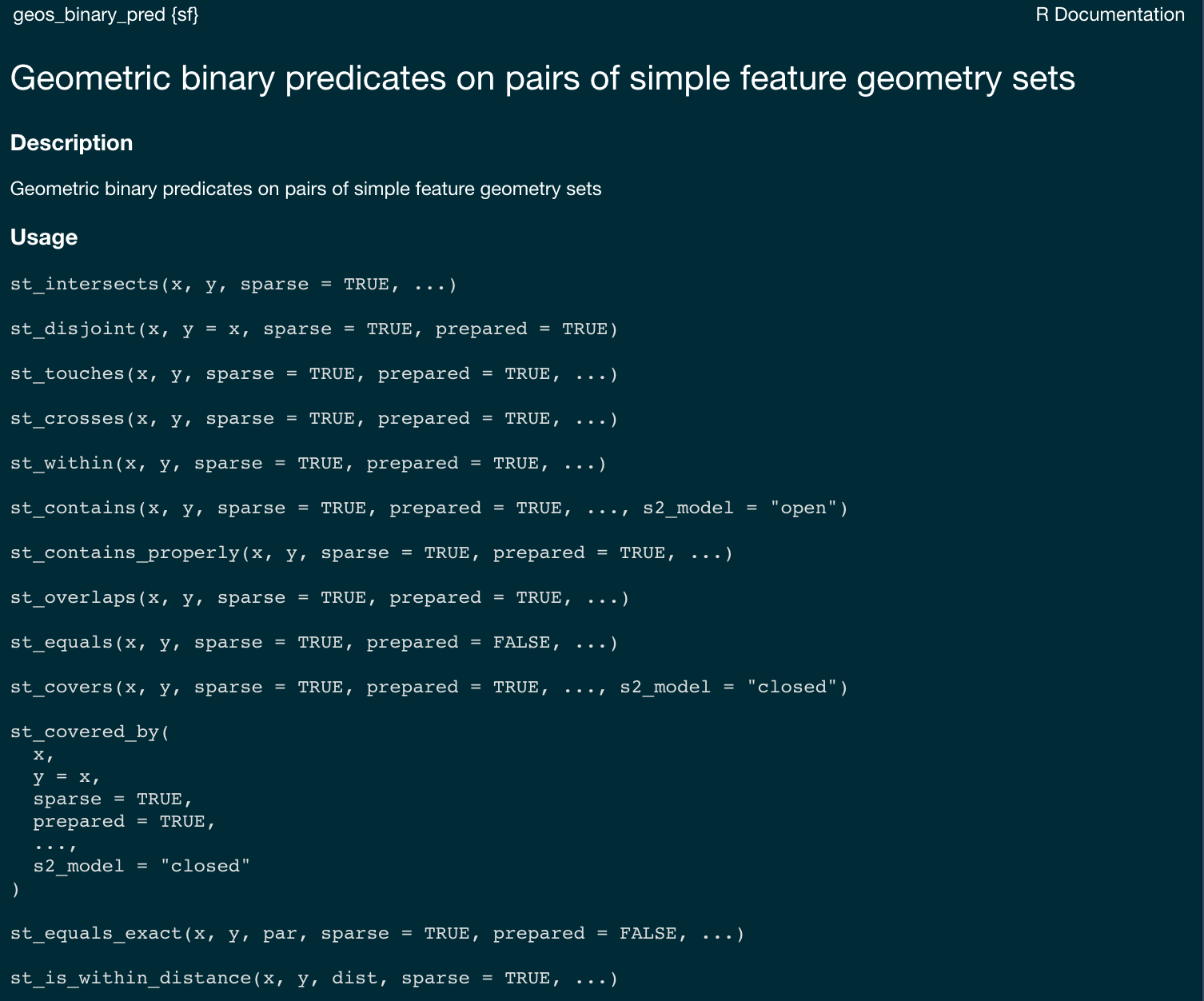
sf provides a set of functions that implement the DE-9IM model and named predicates. Each of these can return either a sparse or dense matrix.#> Sparse geometry binary predicate list of length 3, where the predicate
#> was `intersects'
#> 1: 1, 3
#> 2: 2, 3
#> 3: 3
#> [,1] [,2] [,3] [,4]
#> [1,] TRUE FALSE TRUE FALSE
#> [2,] FALSE TRUE TRUE FALSE
#> [3,] FALSE FALSE TRUE FALSE
#> [,1] [,2] [,3] [,4]
#> [1,] FALSE TRUE FALSE TRUE
#> [2,] TRUE FALSE FALSE TRUE
#> [3,] TRUE TRUE FALSE TRUE
#> [,1] [,2] [,3] [,4]
#> [1,] FALSE FALSE FALSE FALSE
#> [2,] FALSE FALSE FALSE FALSE
#> [3,] FALSE FALSE FALSE FALSE
#> [,1] [,2] [,3] [,4]
#> [1,] FALSE FALSE FALSE FALSE
#> [2,] FALSE FALSE FALSE FALSE
#> [3,] FALSE FALSE FALSE FALSE

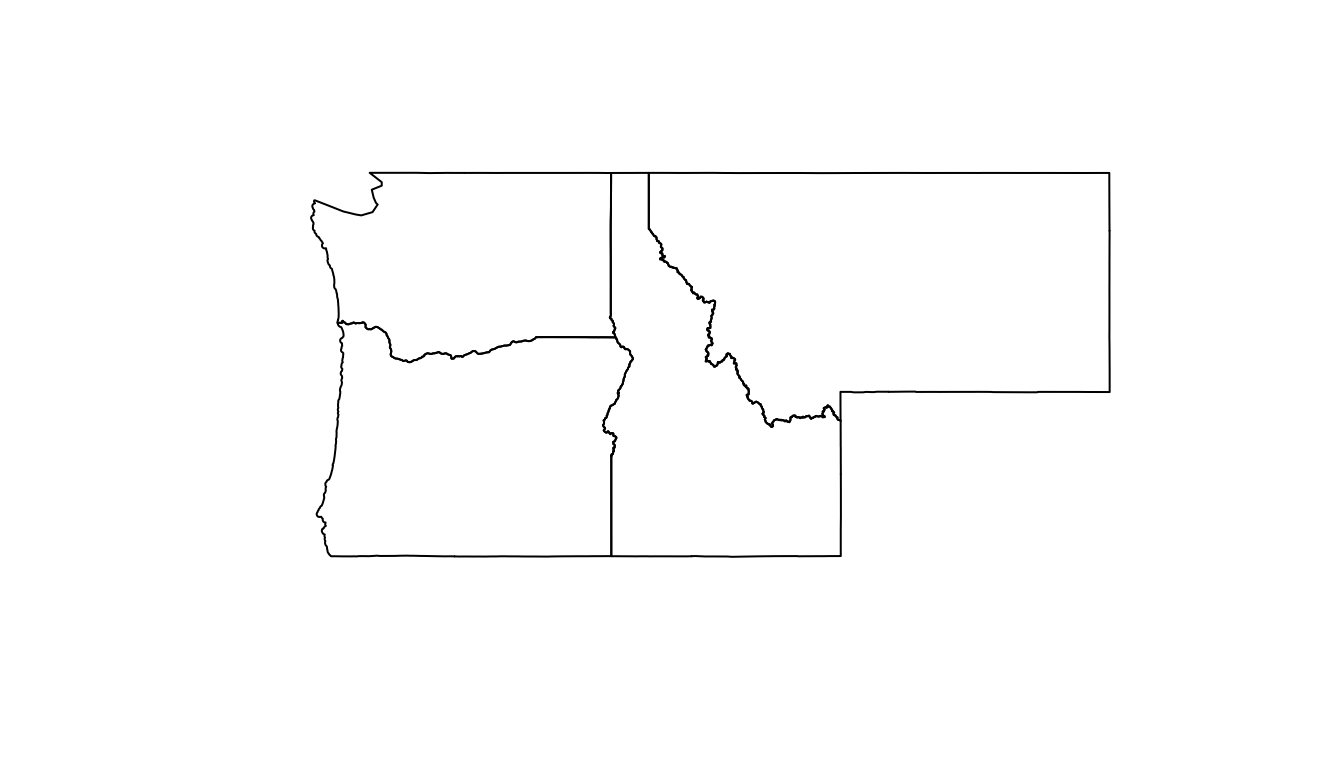
#> Simple feature collection with 4 features and 3 fields
#> Geometry type: MULTIPOLYGON
#> Dimension: XY
#> Bounding box: xmin: -124.8485 ymin: 41.98818 xmax: -104.0397 ymax: 49.00244
#> Geodetic CRS: WGS 84
#> name geometry deim9 touch
#> 1 Idaho MULTIPOLYGON (((-111.0455 4... FF2F11212 TRUE
#> 2 Montana MULTIPOLYGON (((-109.7985 4... FF2FF1212 FALSE
#> 3 Oregon MULTIPOLYGON (((-117.22 44.... FF2F11212 TRUE
#> 4 Washington MULTIPOLYGON (((-121.5237 4... 2FFF1FFF2 FALSE
binary predicates return conditional {T,F} relations based on predefined masks of the DE-9IM strings
Up to this point in class we have been using Boolean {T,F} masks to filter data.frames by columns:
#> [1] TRUE FALSE FALSE FALSE
#> [1] TRUE FALSE TRUE FALSE
dplyr::filter to subset a data frame, retaining all rows that satisfy a boolean condition.#> name equalsWA
#> 1 Idaho FALSE
#> 2 Montana FALSE
#> 3 Oregon FALSE
#> 4 Washington TRUE
#> Simple feature collection with 1 feature and 1 field
#> Geometry type: MULTIPOLYGON
#> Dimension: XY
#> Bounding box: xmin: -124.8485 ymin: 45.54364 xmax: -116.9161 ymax: 49.00244
#> Geodetic CRS: WGS 84
#> name geometry
#> 1 Washington MULTIPOLYGON (((-121.5237 4...
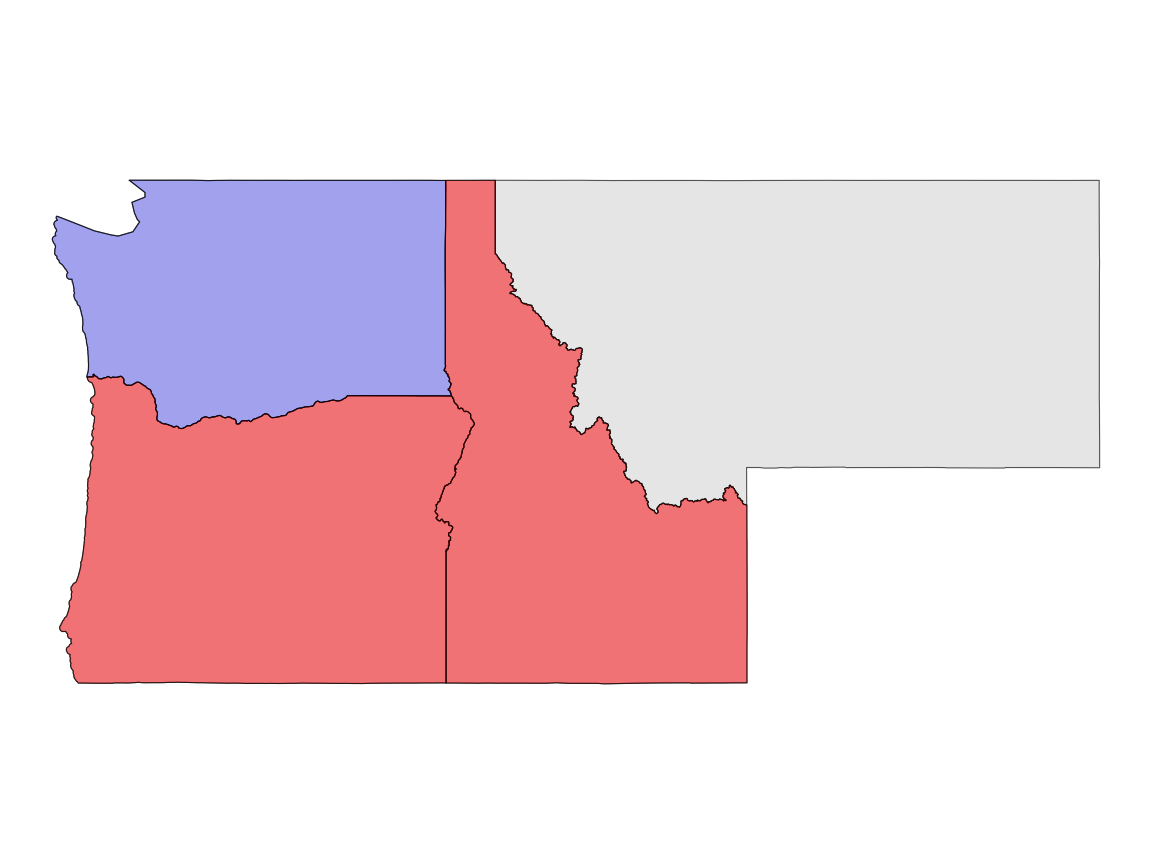
We can filter spatially, use st_filter as the function call
Here the boolean condition is not passed (e.g. name == WA)
But instead, is defined by a spatial predicate
The default is st_intersects but can be changed with the .predicate argument:
#> Simple feature collection with 2 features and 2 fields
#> Geometry type: MULTIPOLYGON
#> Dimension: XY
#> Bounding box: xmin: -124.7035 ymin: 41.98818 xmax: -111.0435 ymax: 49.00085
#> Geodetic CRS: WGS 84
#> name geometry touch
#> 1 Idaho MULTIPOLYGON (((-111.0455 4... TRUE
#> 2 Oregon MULTIPOLYGON (((-117.22 44.... TRUE
#> Simple feature collection with 2 features and 1 field
#> Geometry type: MULTIPOLYGON
#> Dimension: XY
#> Bounding box: xmin: -124.7035 ymin: 41.98818 xmax: -111.0435 ymax: 49.00085
#> Geodetic CRS: WGS 84
#> name geometry
#> 1 Idaho MULTIPOLYGON (((-111.0455 4...
#> 2 Oregon MULTIPOLYGON (((-117.22 44....
#> Simple feature collection with 2 features and 3 fields
#> Geometry type: POINT
#> Dimension: XY
#> Bounding box: xmin: -760147.5 ymin: 1982249 xmax: -751658.3 ymax: 1984620
#> Projected CRS: NAD83 / Conus Albers
#> # A tibble: 2 × 4
#> city population state_name geometry
#> * <chr> <dbl> <chr> <POINT [m]>
#> 1 Fort Collins 339256 Colorado (-760147.5 1984620)
#> 2 Timnath 8007 Colorado (-751658.3 1982249)
Filtering is a nice way to reduce the dimensions of a single dataset
Often “… one table is not enough… ”
In these cases we want to combine - or join - data
Spatially joining data relies on shared geographic relations rather then a shared key
Like filter, these relations can be defined by a predicate
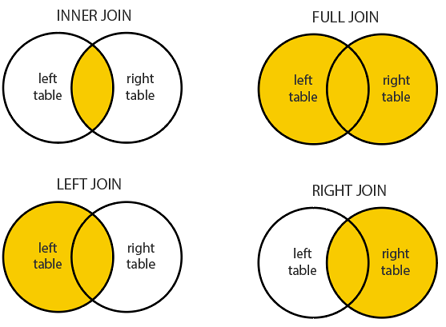
As with tabular data, mutating joins add data to the target object (x) from a source object (y).
In sf st_join provides this joining capacity
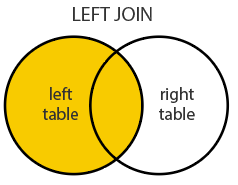
By default, st_join performs a left join (Returns all records from x, and the matched records from y)
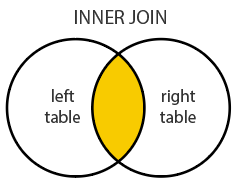
It can also do inner joins by setting left = FALSE.
Important: Many-to-many relationships create duplicate rows. In the Starbucks-counties example, a single Starbucks points at a county boundary may match multiple counties, creating multiple rows for that Starbucks.
The default predicate for st_join (and st_filter) is st_intersects, but this can be changed with the .predicate argument to use other spatial relations like st_touches, st_within, etc.


The default predicate for st_join (and st_filter) is st_intersects
This can be changed with the join argument (see ?st_join for details).
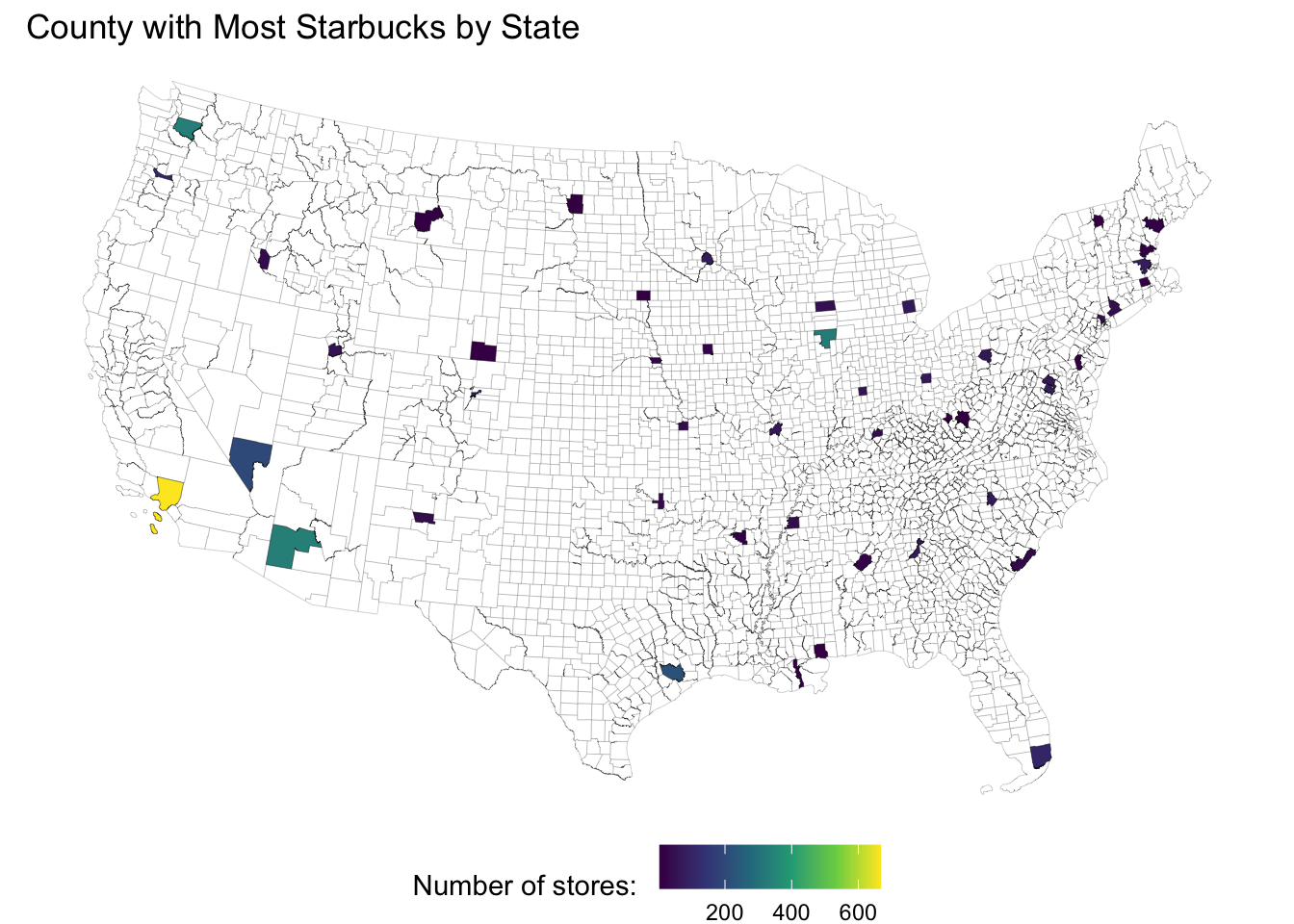
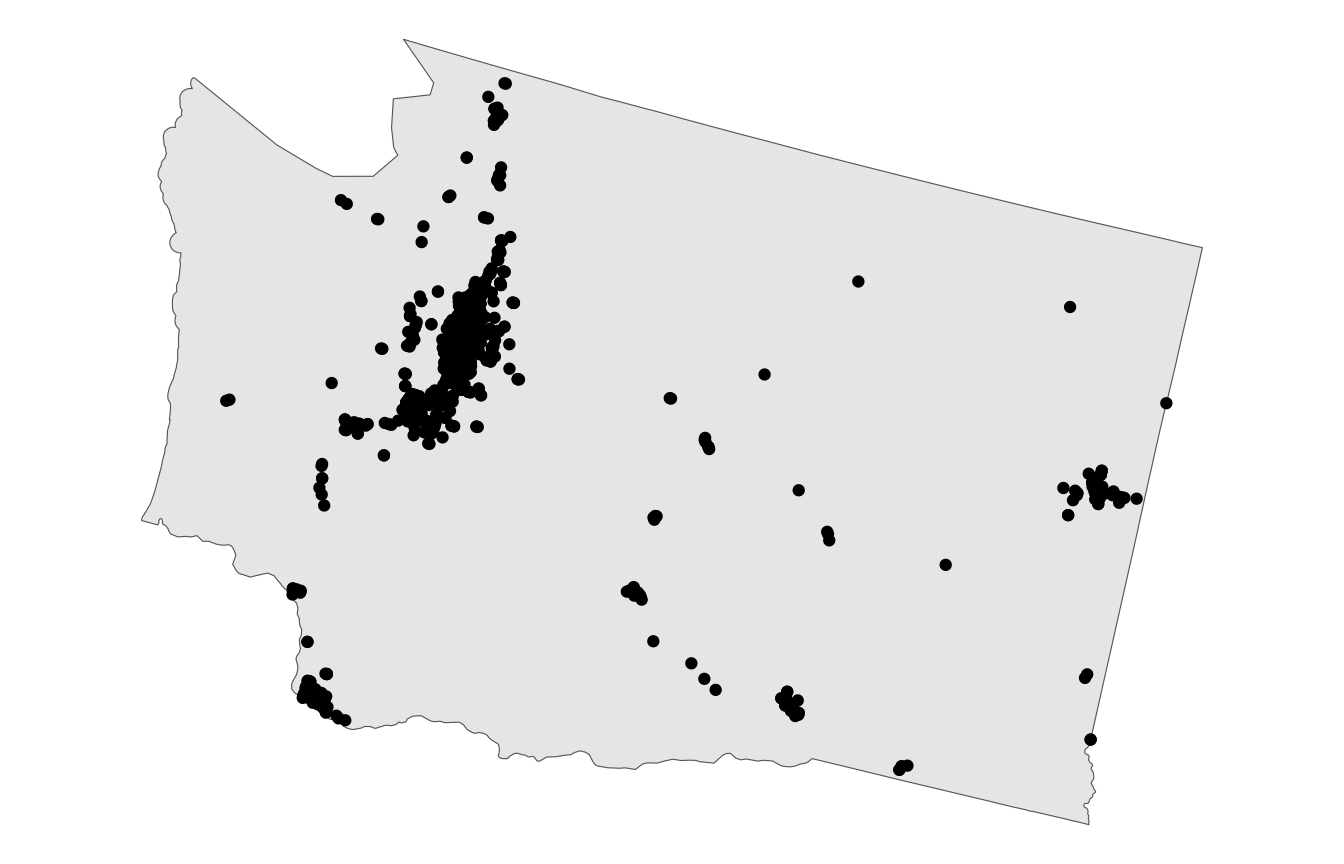
What county has the most Starbucks in each state?
#> Simple feature collection with 13608 features and 11 fields
#> Geometry type: POINT
#> Dimension: XY
#> Bounding box: xmin: -6223543 ymin: 278591.2 xmax: 2122577 ymax: 5307178
#> Projected CRS: NAD83 / Conus Albers
#> # A tibble: 13,608 × 12
#> Brand `Store Number` `Store Name` `Ownership Type` `Street Address` City
#> * <chr> <chr> <chr> <chr> <chr> <chr>
#> 1 Starbucks 3513-125945 Safeway-Anc… Licensed 5600 Debarr Rd … Anch…
#> 2 Starbucks 74352-84449 Safeway-Anc… Licensed 1725 Abbott Rd Anch…
#> 3 Starbucks 12449-152385 Safeway - A… Licensed 1501 Huffman Rd Anch…
#> 4 Starbucks 24936-233524 100th & C S… Company Owned 320 W. 100th Av… Anch…
#> 5 Starbucks 8973-85630 Old Seward … Company Owned 1005 E Dimond B… Anch…
#> 6 Starbucks 72788-84447 Fred Meyer … Licensed 1000 E Northern… Anch…
#> 7 Starbucks 79549-106150 Safeway - A… Licensed 3101 PENLAND PK… Anch…
#> 8 Starbucks 75988-107245 ANC Main Te… Licensed HMSHost, 500 We… Anch…
#> 9 Starbucks 11426-99254 Tudor Rd an… Company Owned 110 W. Tudor Rd… Anch…
#> 10 Starbucks 20349-108249 Fred Meyer-… Licensed 7701 Debarr Road Anch…
#> # ℹ 13,598 more rows
#> # ℹ 6 more variables: `State/Province` <chr>, Country <chr>, Postcode <chr>,
#> # `Phone Number` <chr>, Timezone <chr>, geometry <POINT [m]>
Clipping is a form of subsetting that involves changing the geometry of at least some features.
Clipping can only apply to features more complex than points: (lines, polygons and their ‘multi’ equivalents).
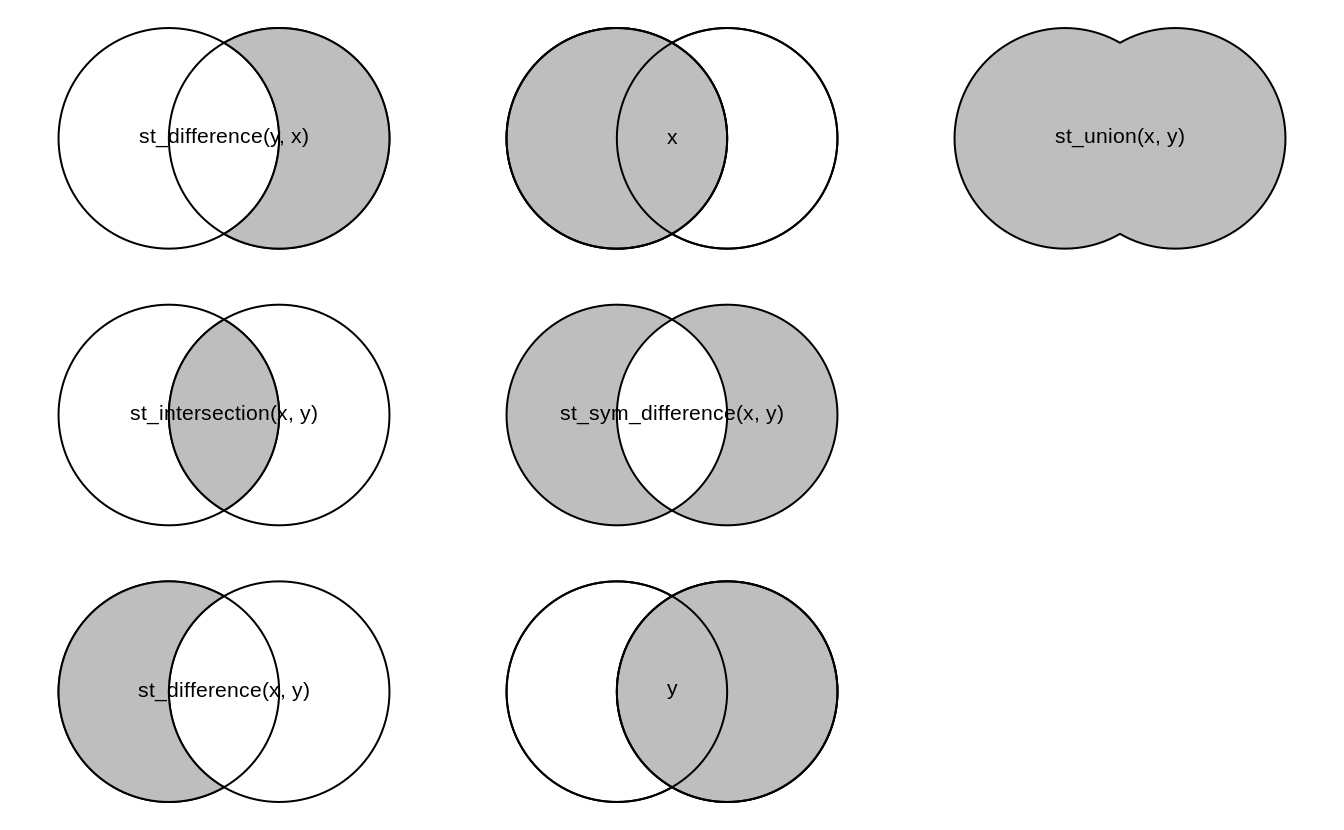
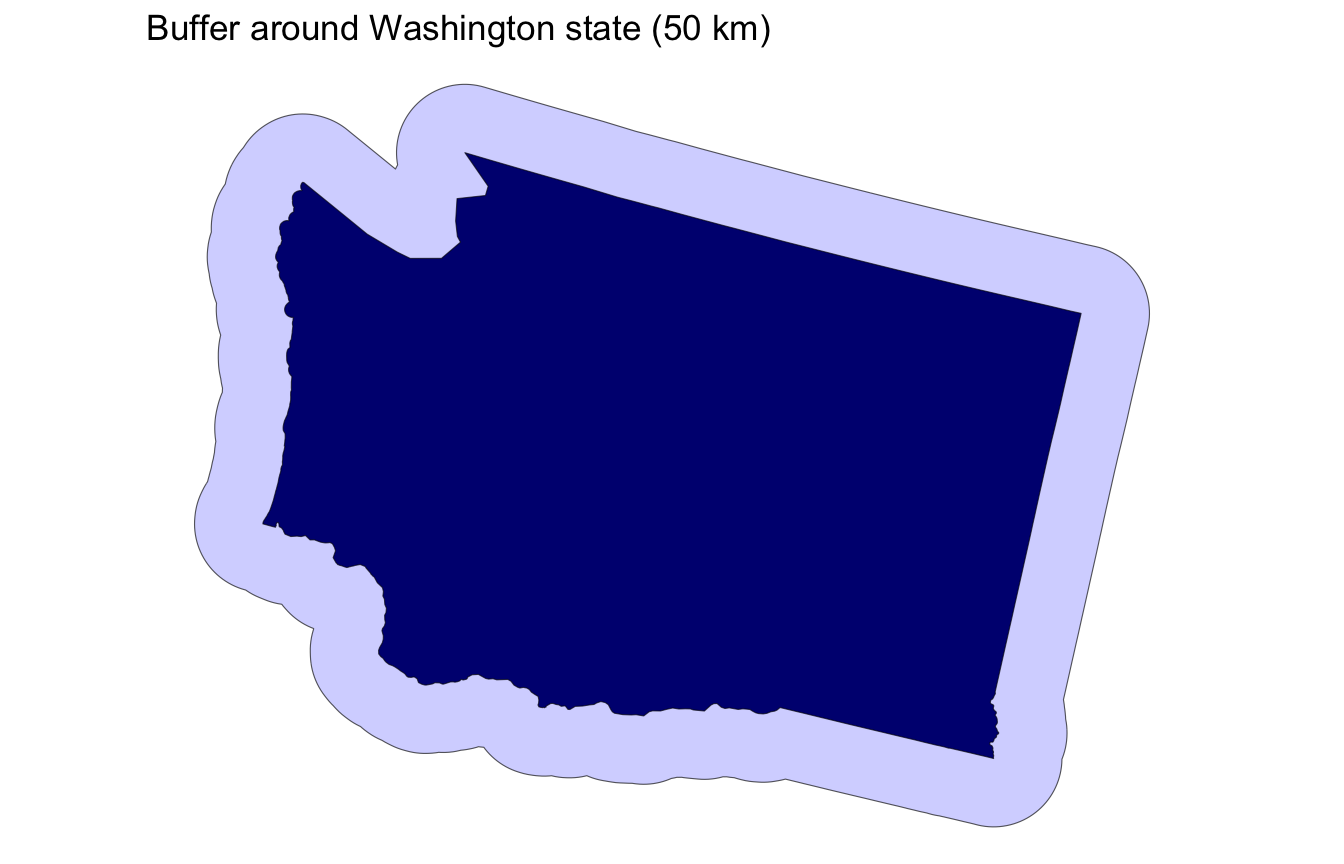
[,]) implements st_intersectionst_buffer() expands or contracts geometries by a given distanceIn all the cases we have looked at, the number of POINT (e.g geometries, nodes, or vertices) define the complexity of the predicate or the clip
Computational needs increase with the number of POINTS / NODES / VERTICES
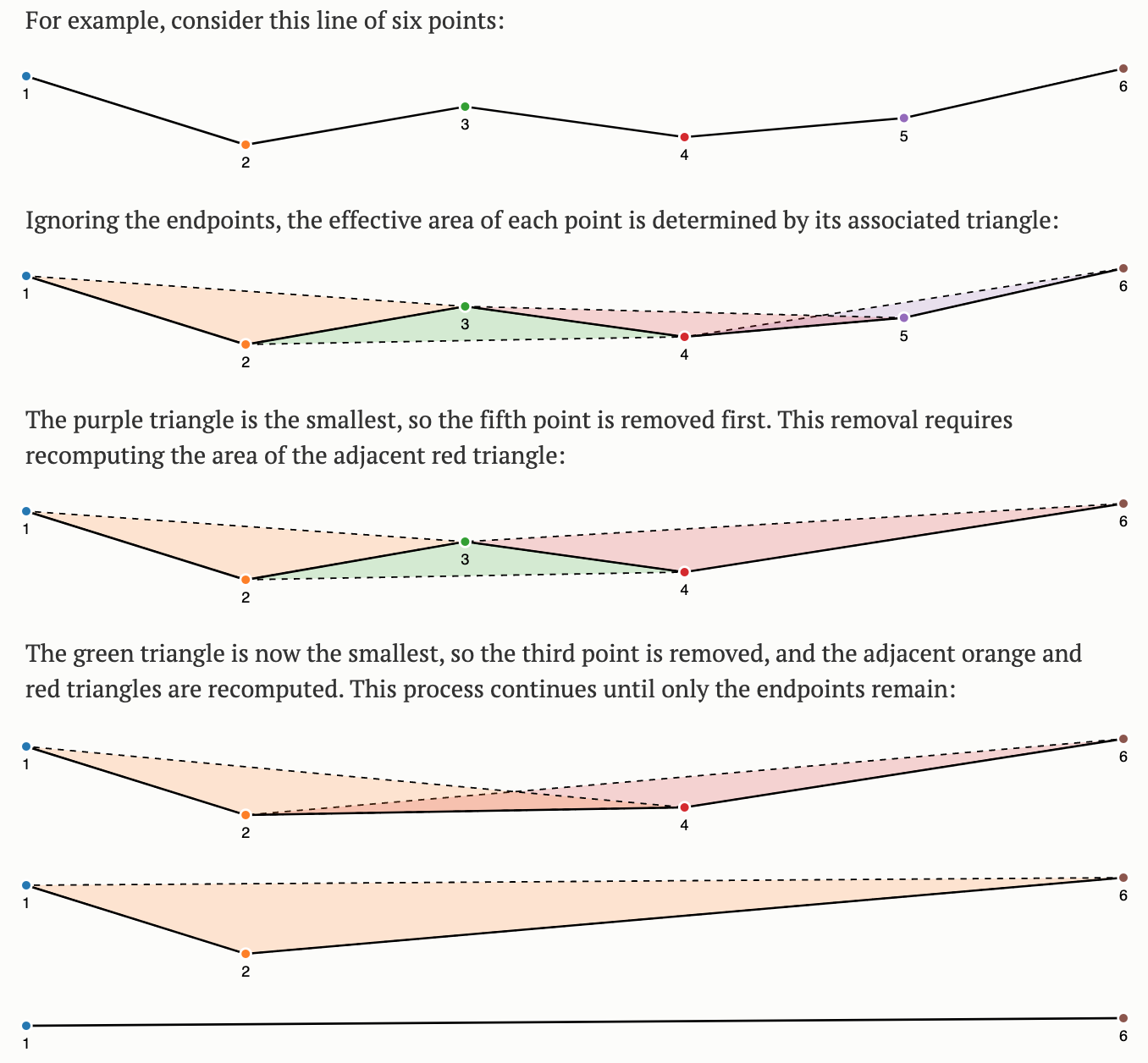
Simplification is a process for generalization vector objects (lines and polygons)
Another reason for simplifying objects is to reduce the amount of memory, disk space and network bandwidth they consume
Other times the level of detail captured in a geometry is either not needed, or, even counter productive the the scale/purpose of an analysis
If you are cropping features to a national border, how much detail do you need? The more points in your border, the long the clip operation will take….
In cases where we want to reduce the complexity in a geometry we can use simplification algorithms
The most common algorithms are Ramer–Douglas–Peucker and Visvalingam-Whyatt.
Mark the first and last points as kept
Find the point, p that is the farthest from the first-last line segment. If there are no points between first and last we are done (the base case)
If p is closer than tolerance units to the line segment then everything between first and last can be discarded
Otherwise, mark p as kept and repeat steps 1-4 using the points between first and p and between p and last (the call to recursion)
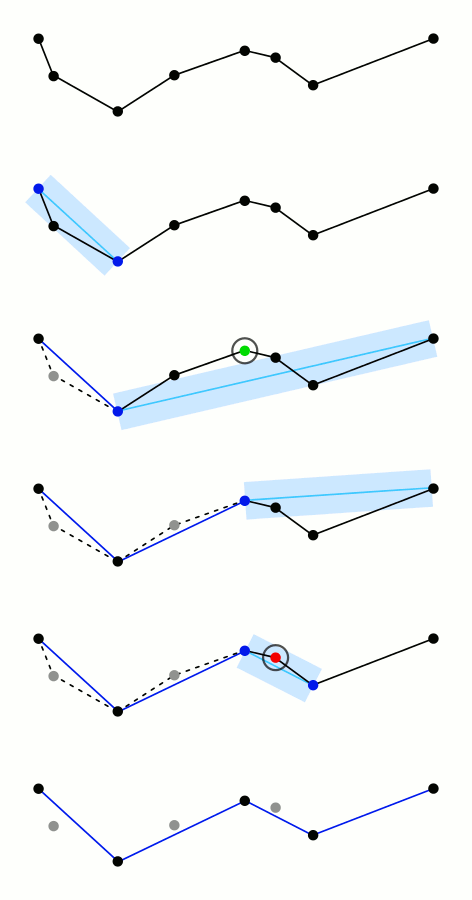
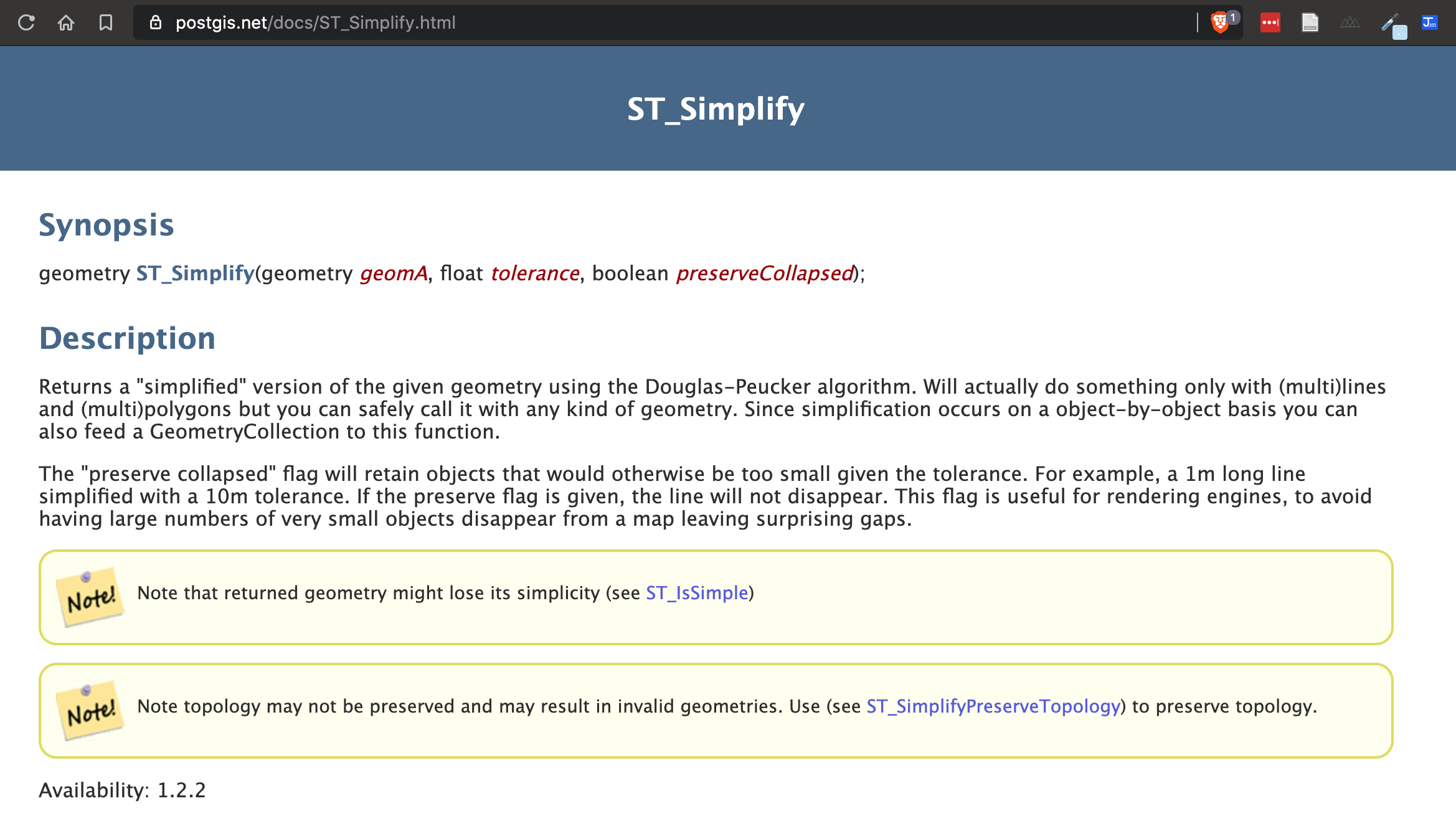
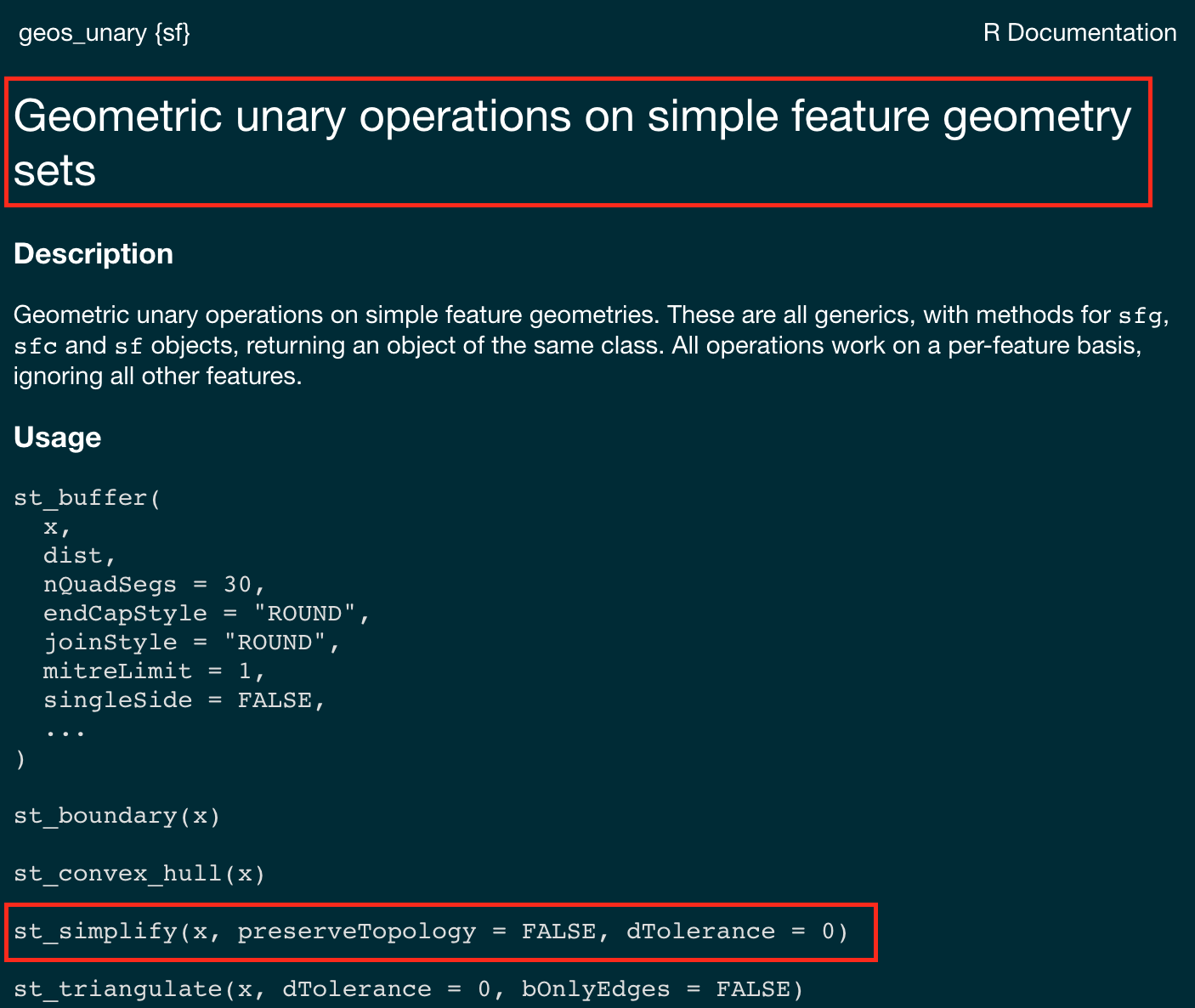
sf provides st_simplify, which uses the GEOS implementation of the Douglas-Peucker algorithm to reduce the vertex count.
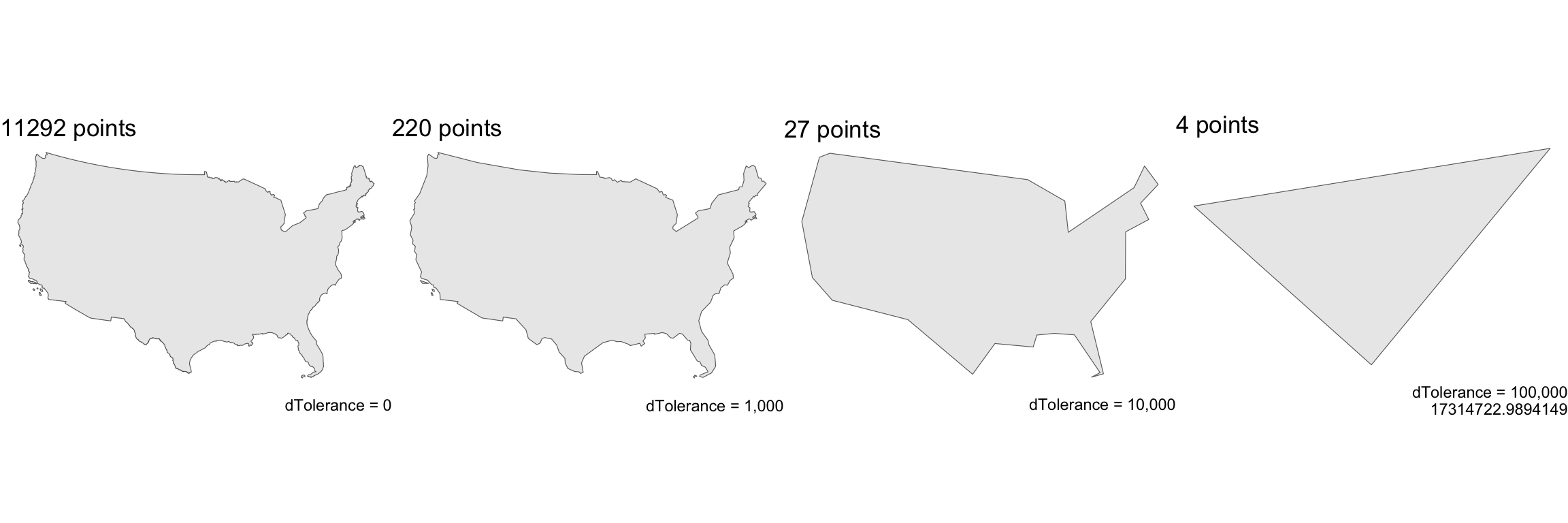
st_simplify uses the dTolerance to control the level of generalization in map units (see Douglas and Peucker 1973 for details).
Note on CRS: We use EPSG:5070 (USA Contiguous Albers Equal Area projection) for these examples because it preserves area and provides consistent distance measurements across the continental US, making tolerance values meaningful and comparable.
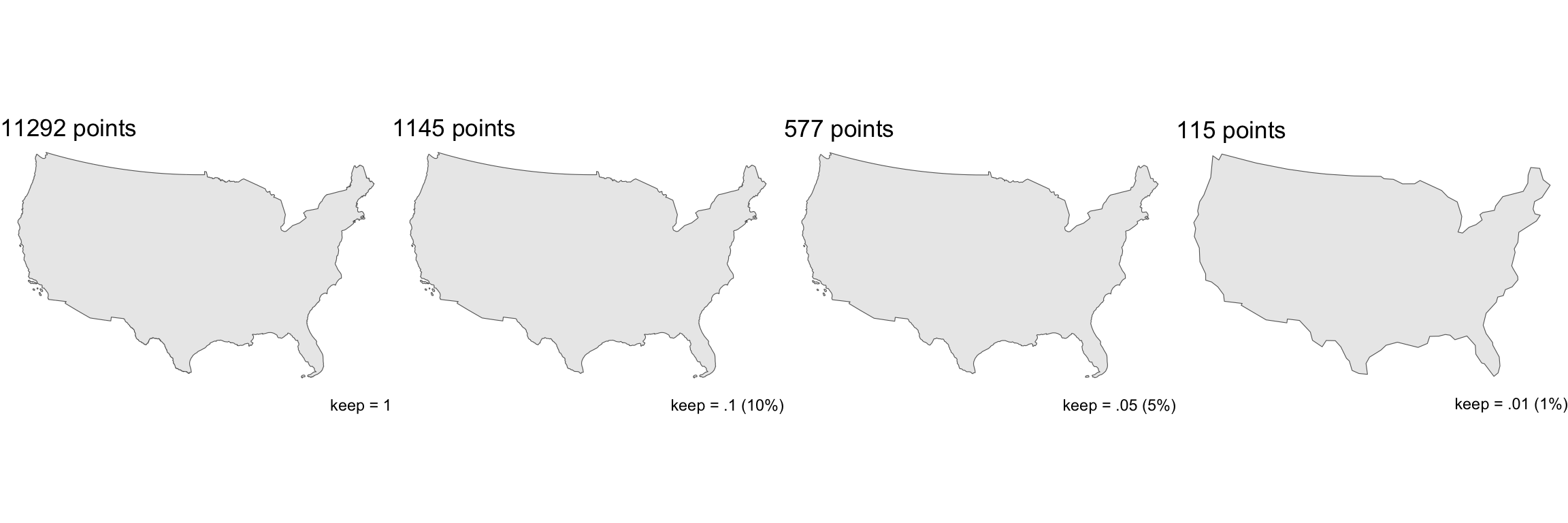
#> Original points: 11292
#> After 10 km tolerance: 220
#> After 100 km tolerance: 27
#> After 1000 km tolerance: 4
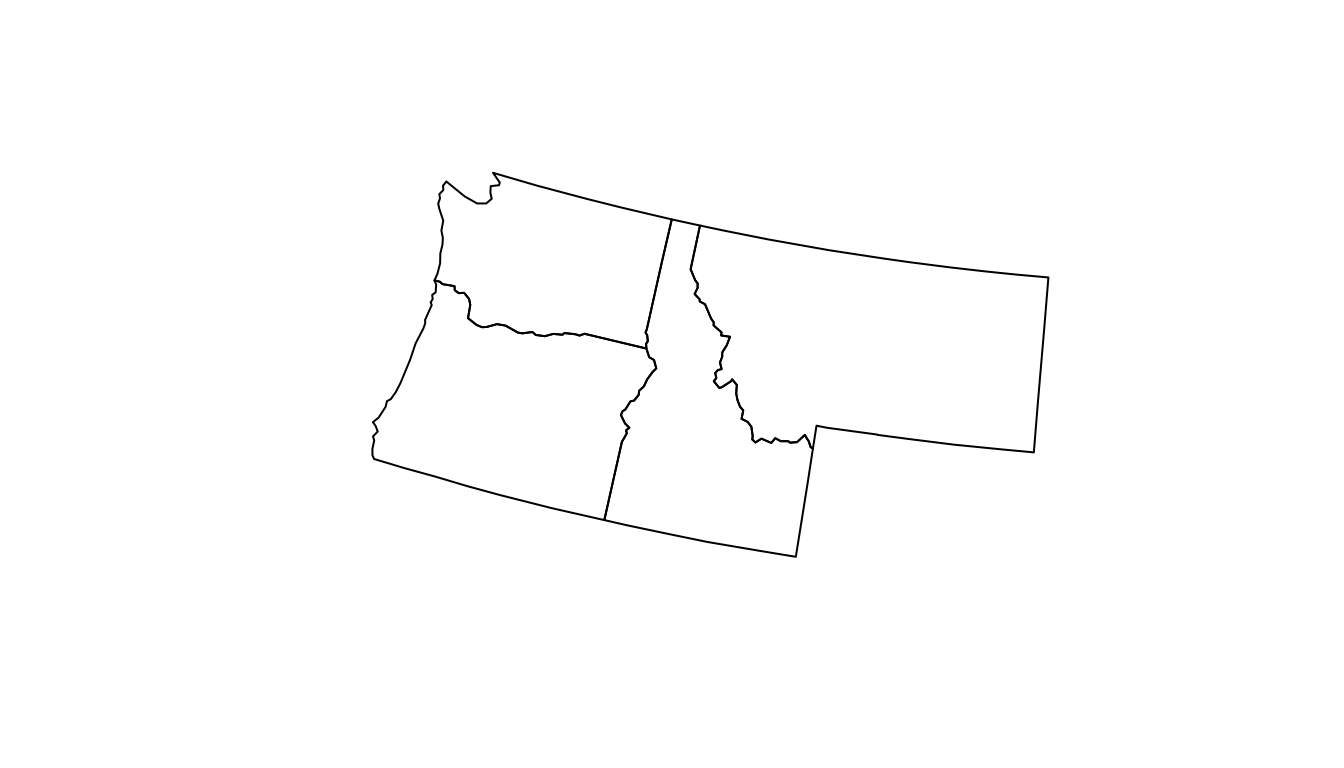
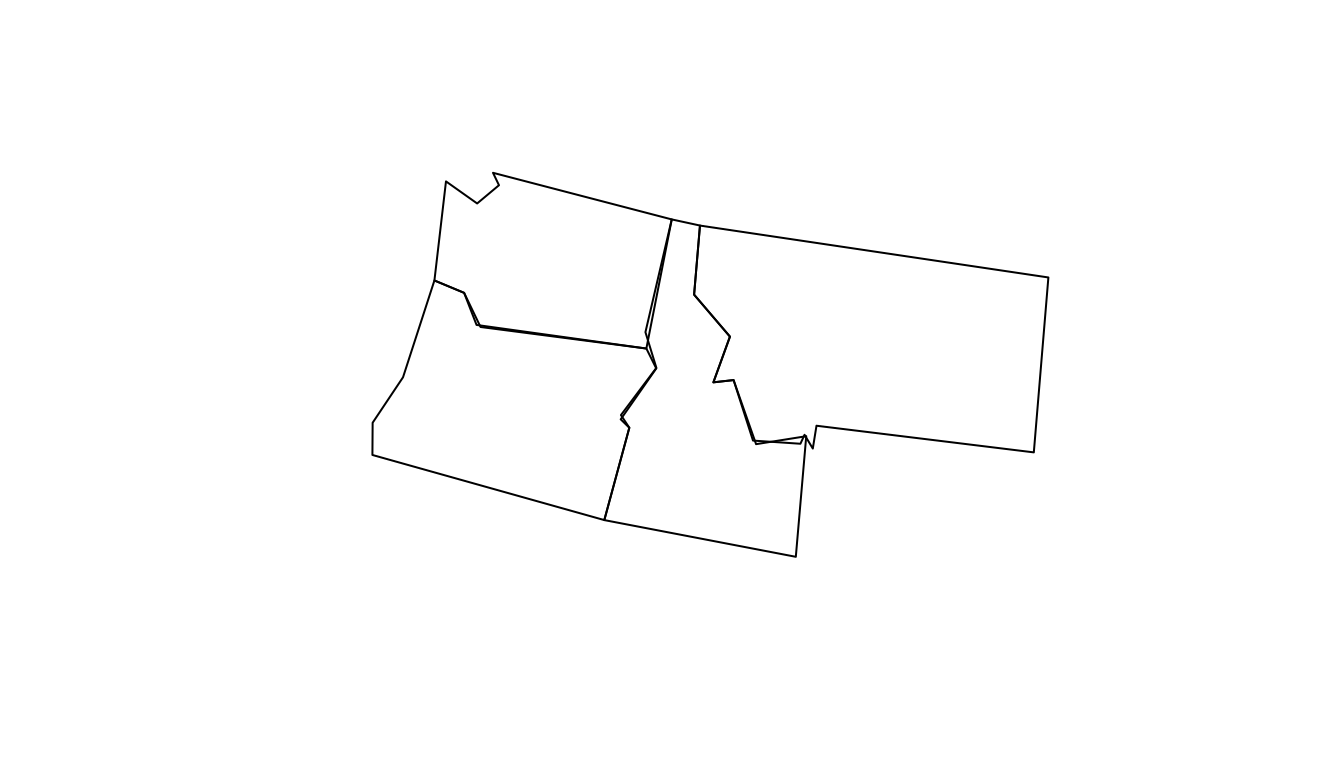
A limitation with Douglas-Peucker (therefore st_simplify) is that it simplifies objects on a per-geometry basis.
This means the ‘topology’ is lost, resulting in overlapping and disconnected geometries.
In R, the rmapshaper package implements the Visvalingam algorithm in the ms_simplify function.
ms_simplify function is a wrapper around the mapshaper JavaScript library (created by lead viz experts at the NYT)In all cases, the number of points in a geometry can be calculated with mapview::npts()
#> [1] 5930
#> [1] 50
#> [1] 292
So far we have spent the last few days looking at simple feature objects
Where a feature as a geometry define by a set of structured POINT(s)
These points have precision and define location ({X Y CRS})
The geometry defines a bounds: either 0D, 1D or 2D
Each object is therefore bounded to those geometries implying a level of exactness.


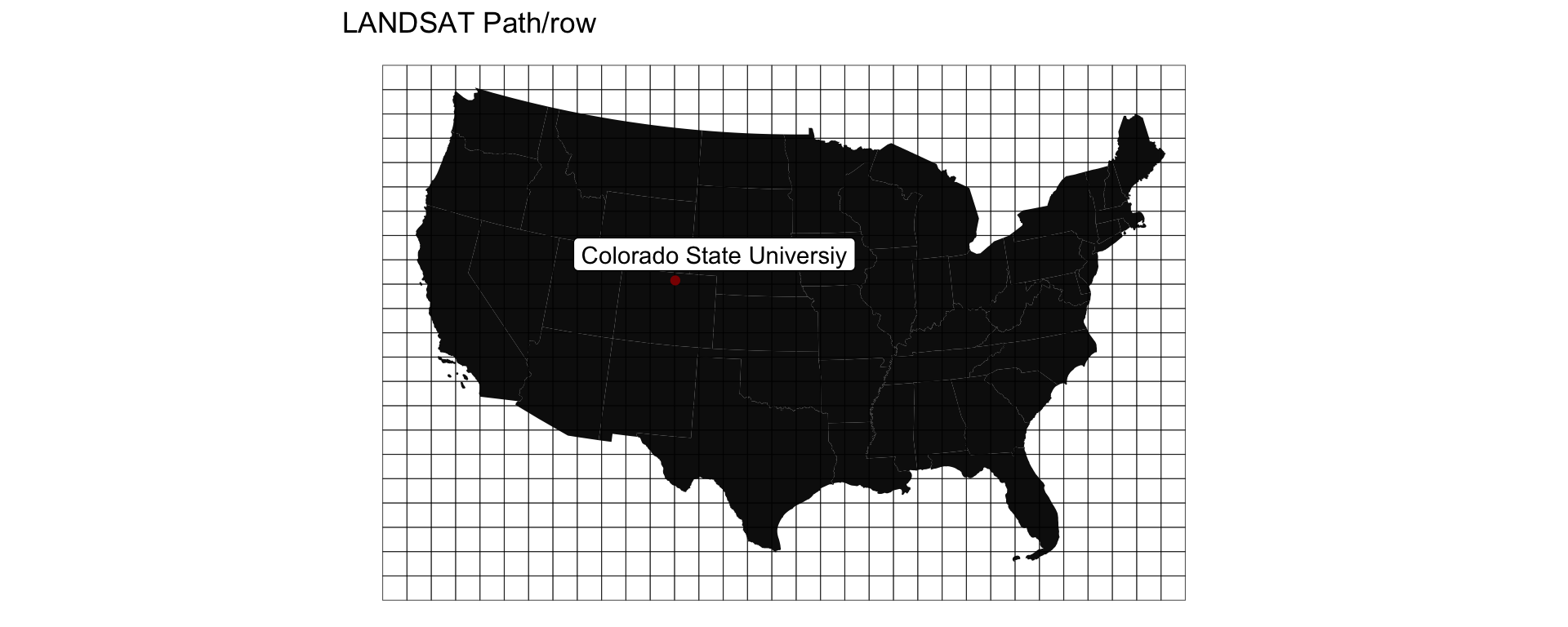
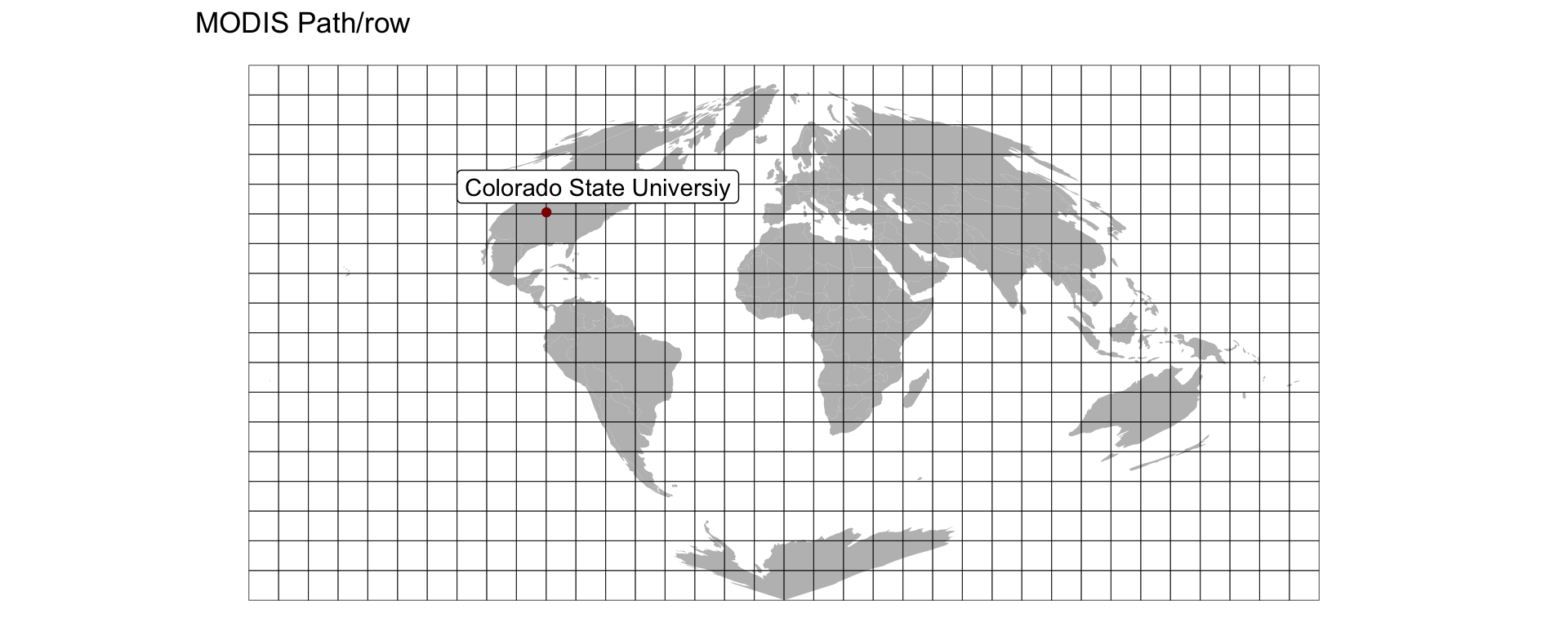
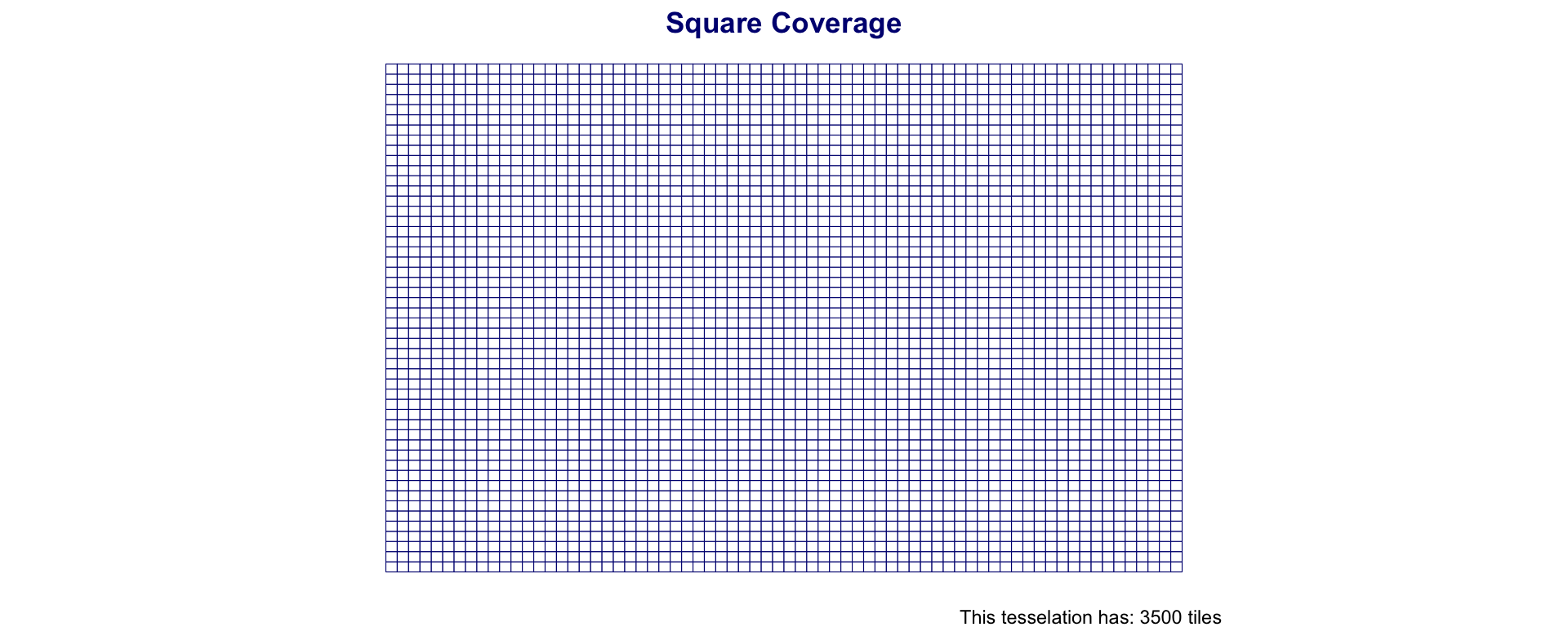
dplyrOne way to tile a surface is into regions of equal area
Tiles can be either square (rectilinear) or hexagonal
st_make_grid generates a square or hexagonal grid covering the geometry of an sf or sfc object
The return object of st_make_grid is a new sfc object
Grids can be specified by cellsize or number of grid cells (n) in the X and Y direction
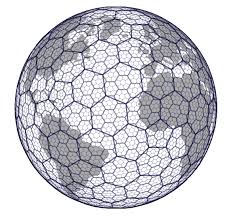
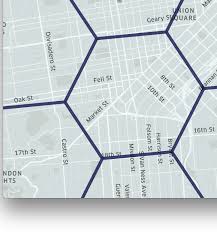
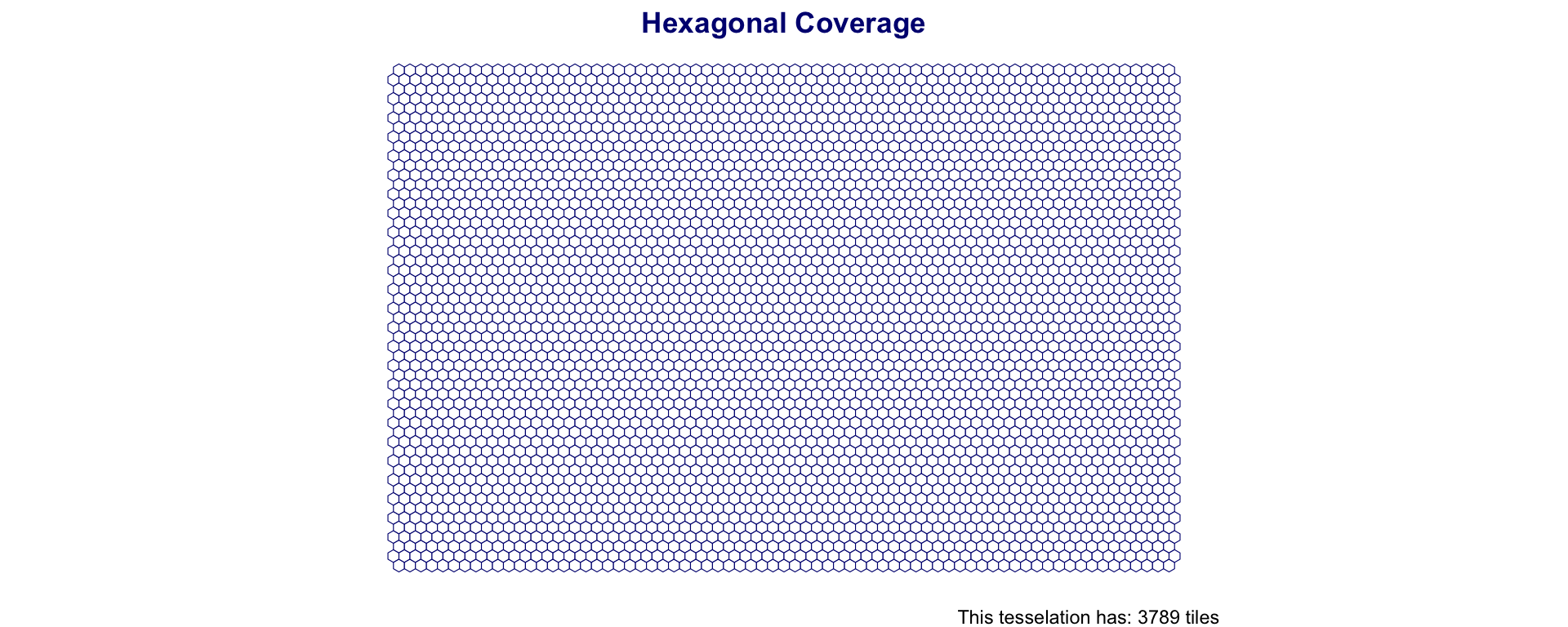
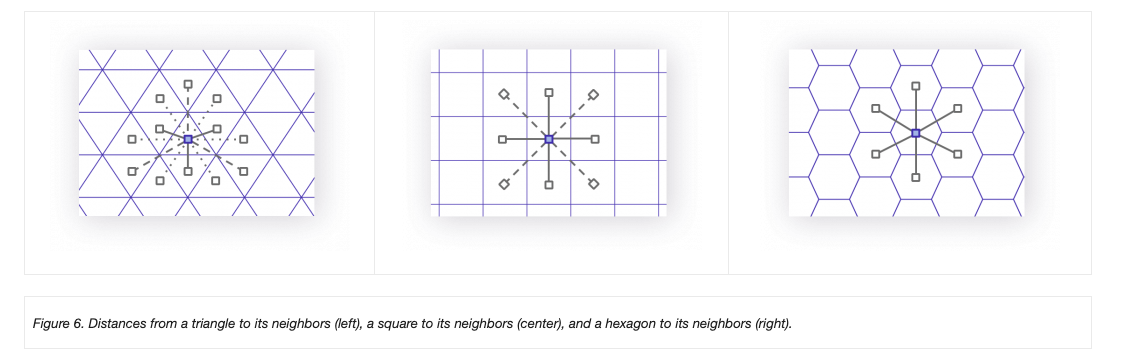
Hexagonal tessellations (honey combs) offer an alternative to square grids
They are created in the same way but by setting square = FALSE
Simple definition and data storage
Easy to aggregate and dissaggregate (resample)
Analogous to raster data
Relationship between cells is given
Combining layers is easy with traditional matrix algebra
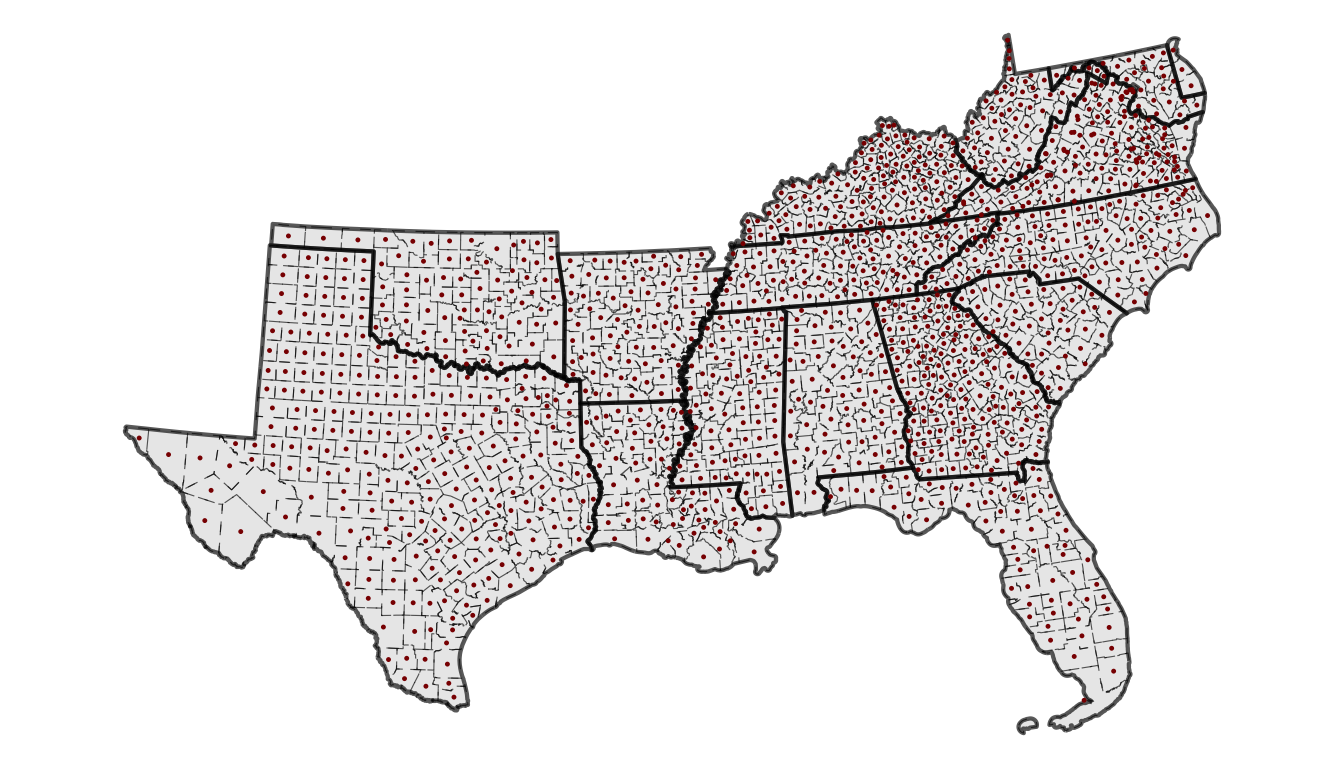
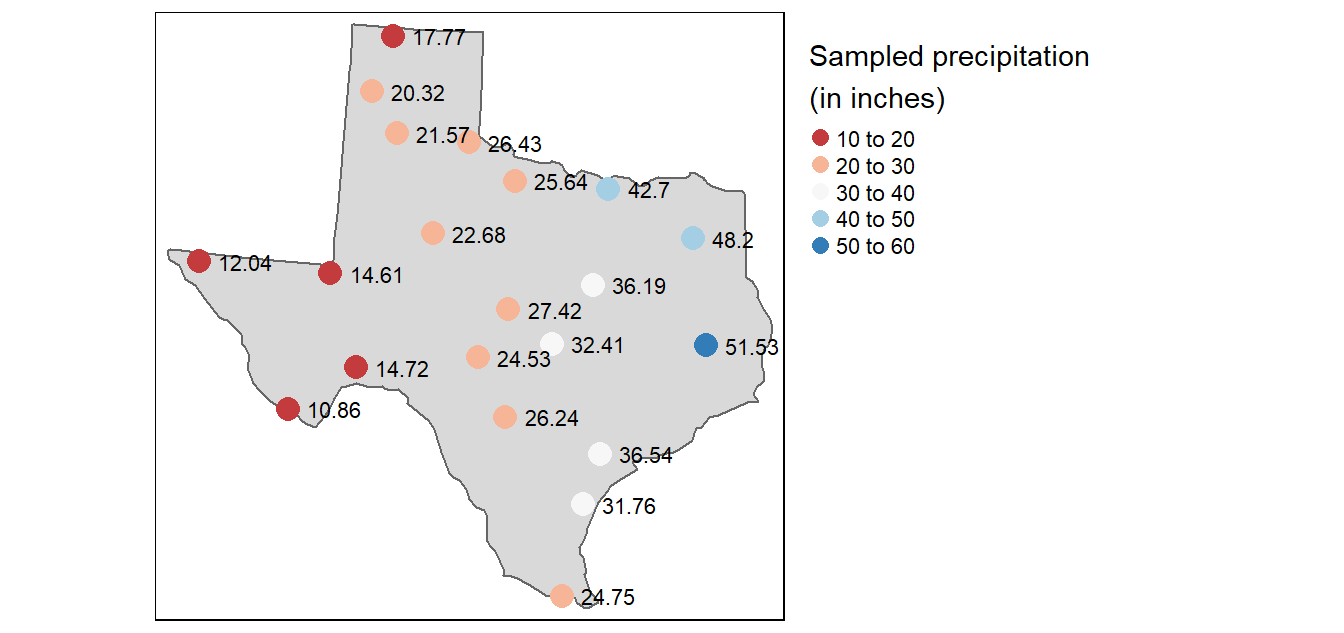
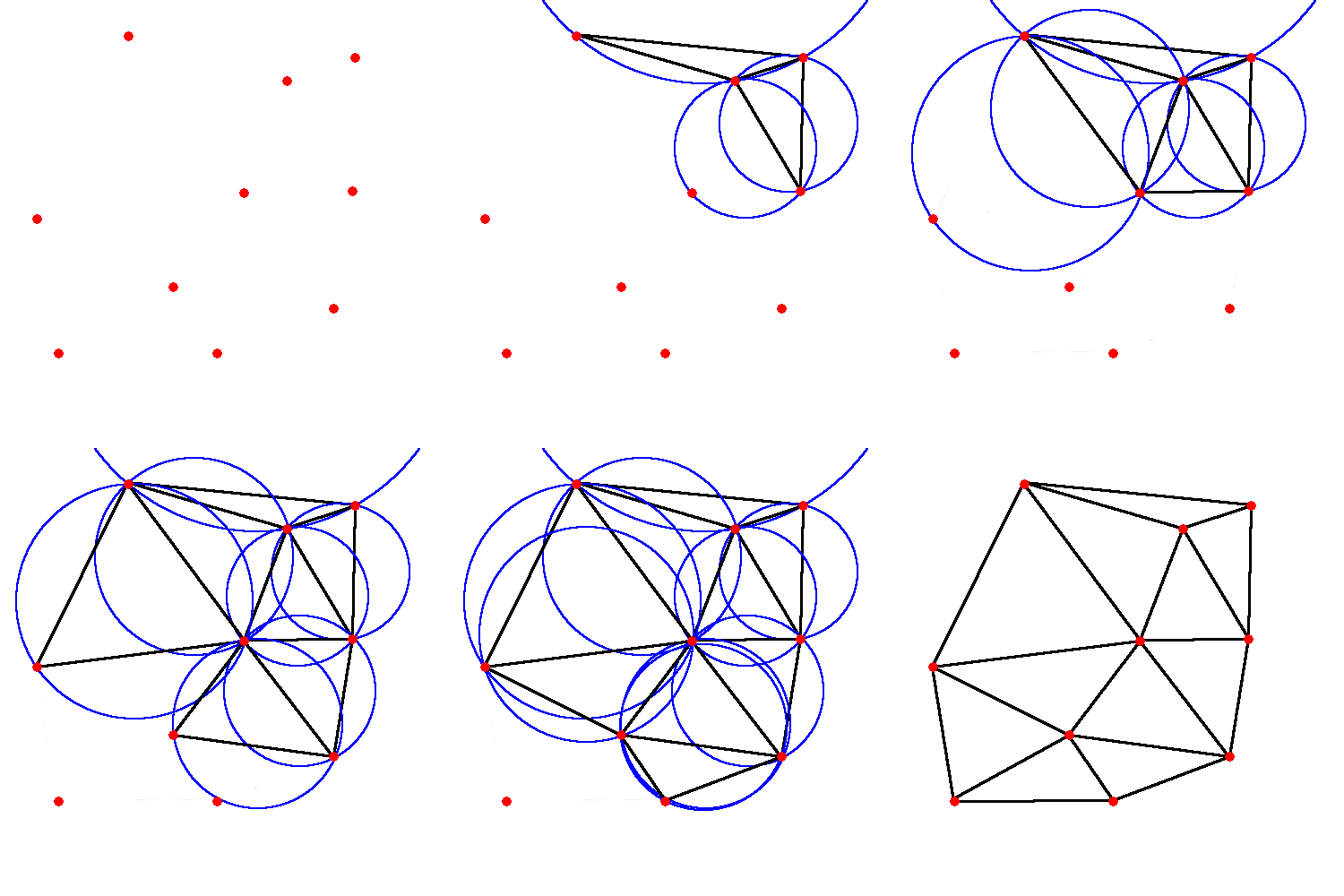
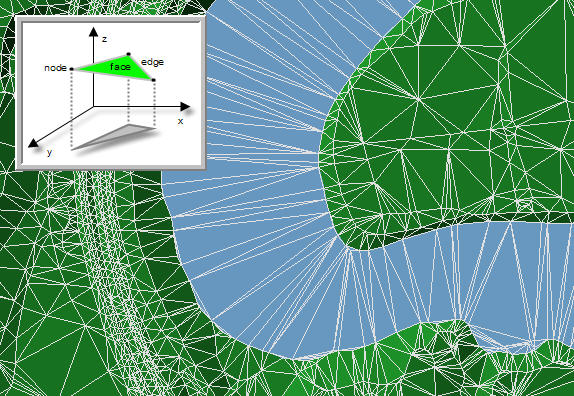
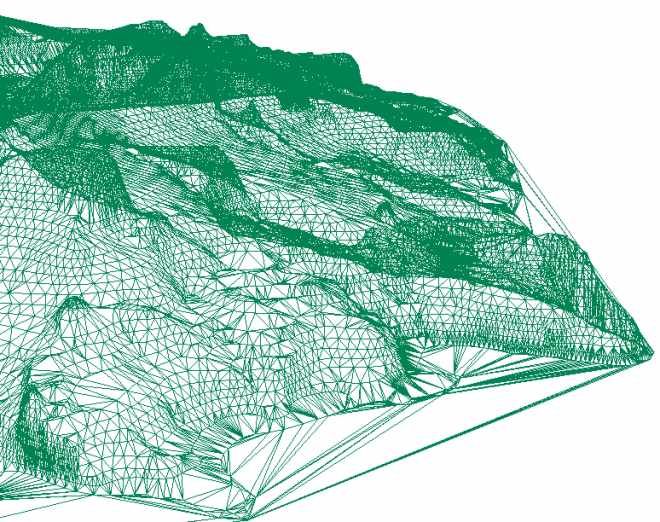
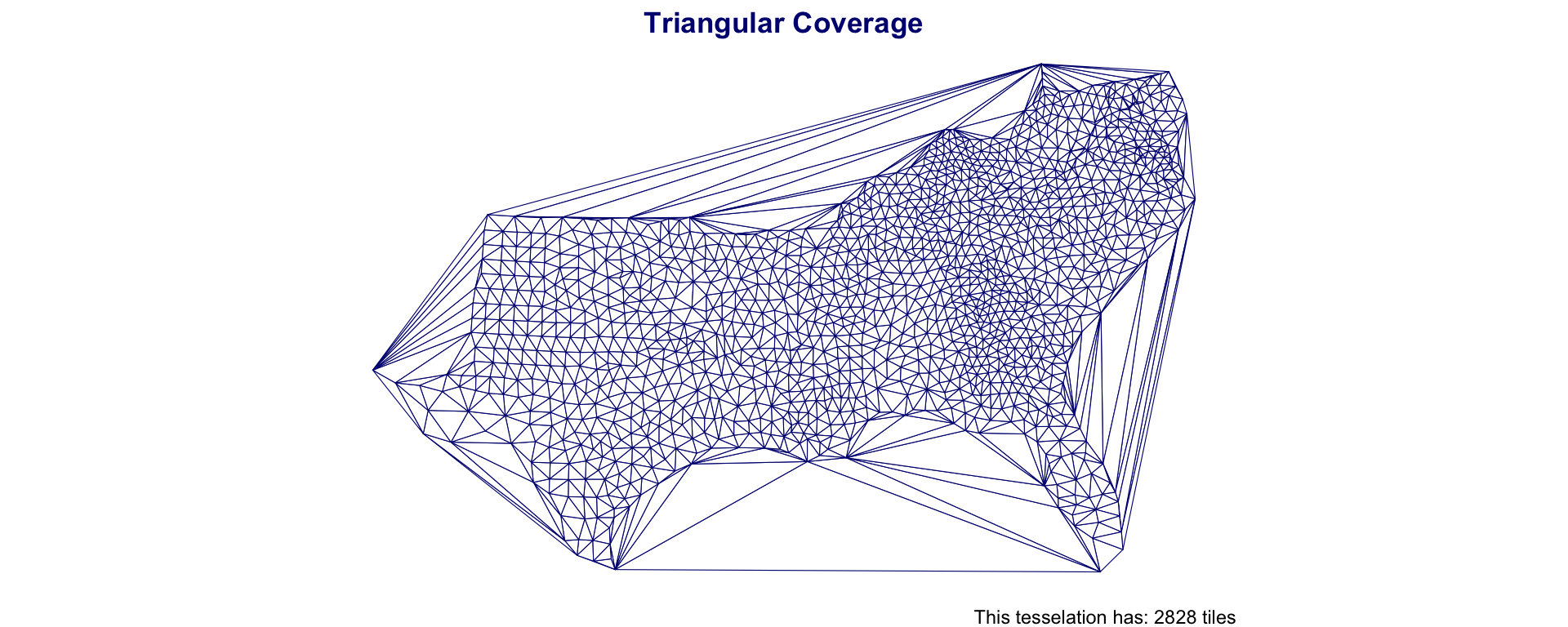
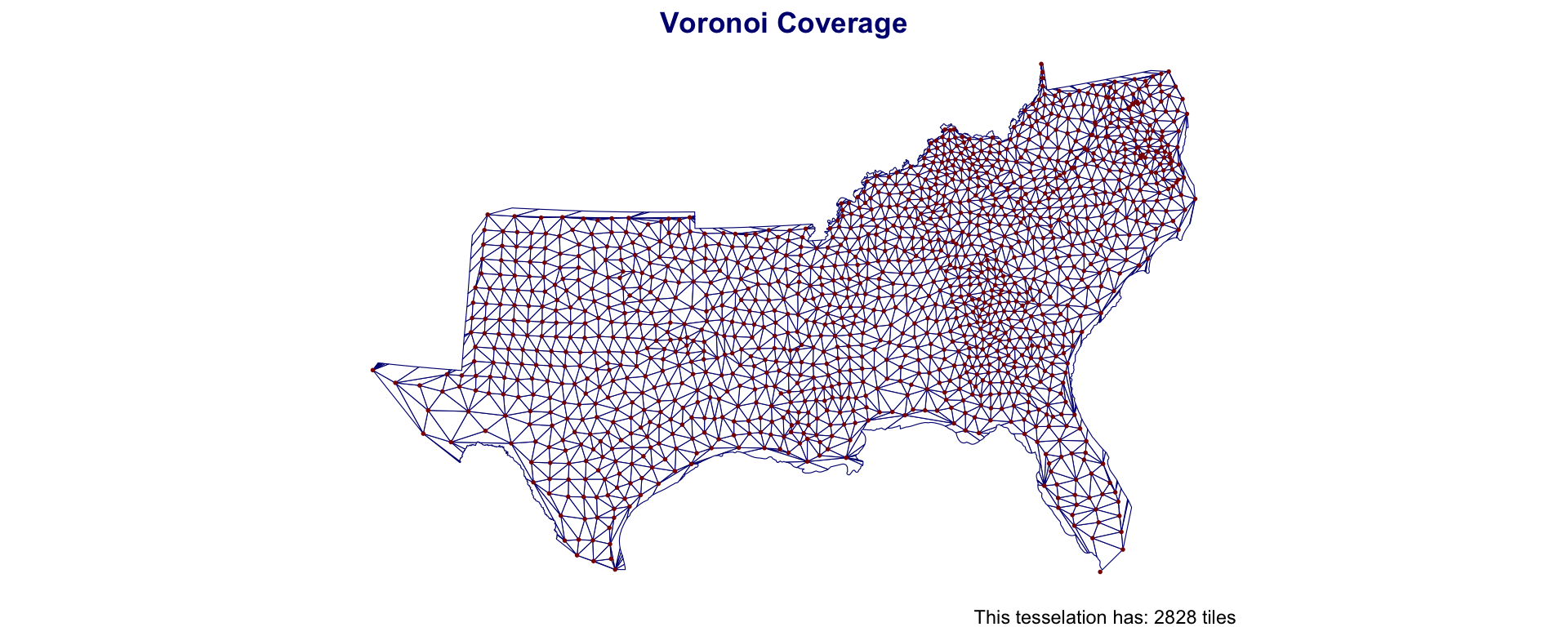
An alternative to creating equal area tiles is to create triangulations from known anchor points
Triangulation requires a set of input points and seeks to partition the interior into a partition of triangles.
In GIS contexts you’ll hear:
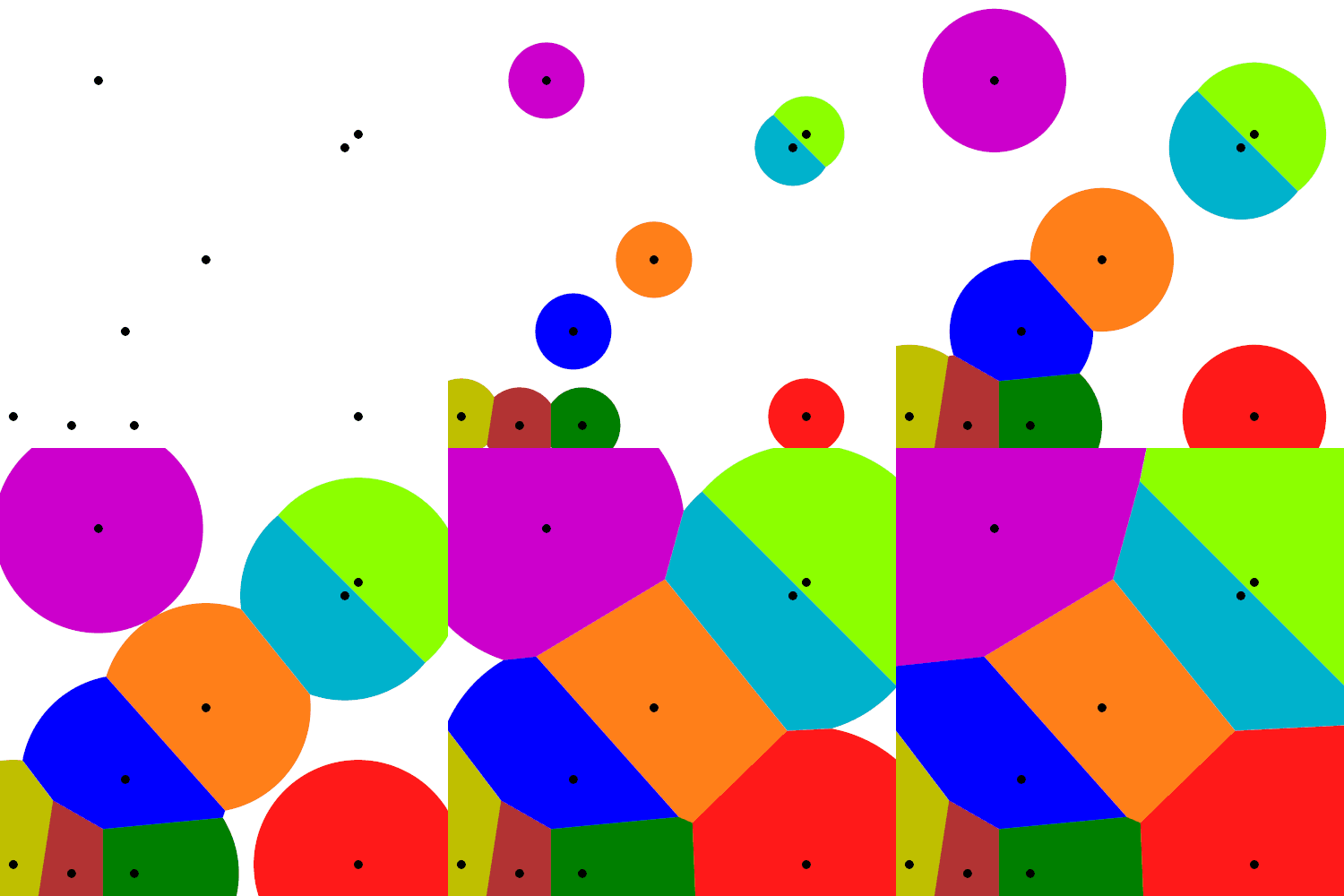
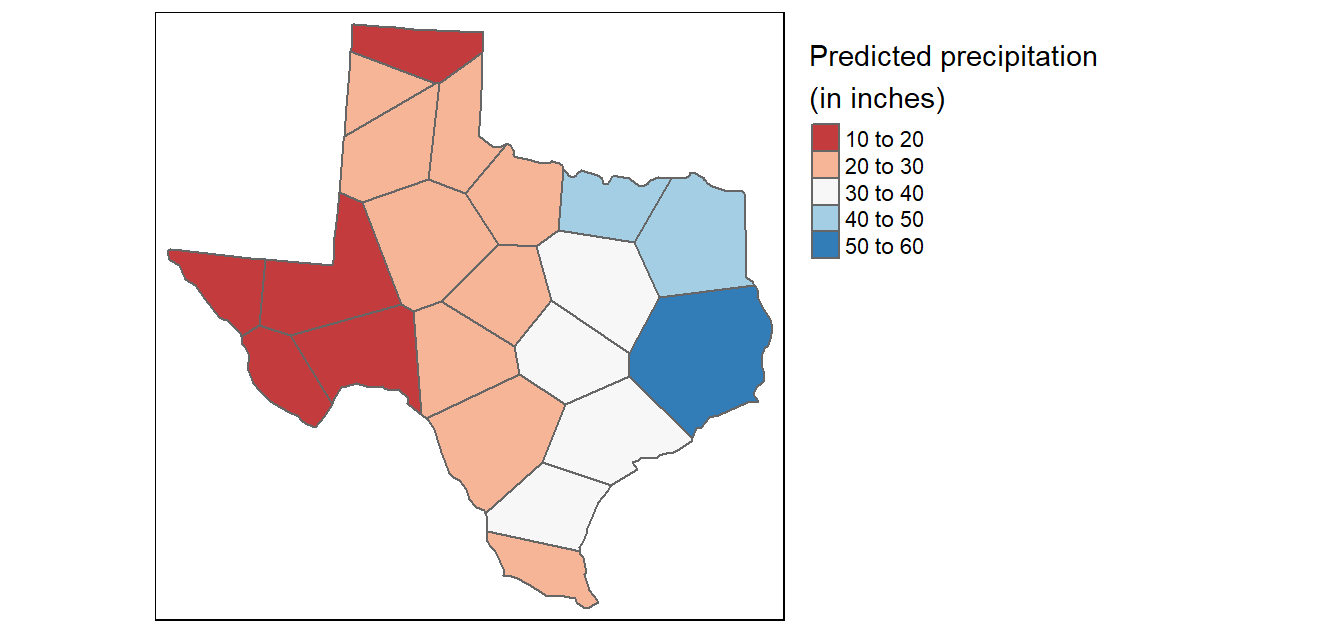
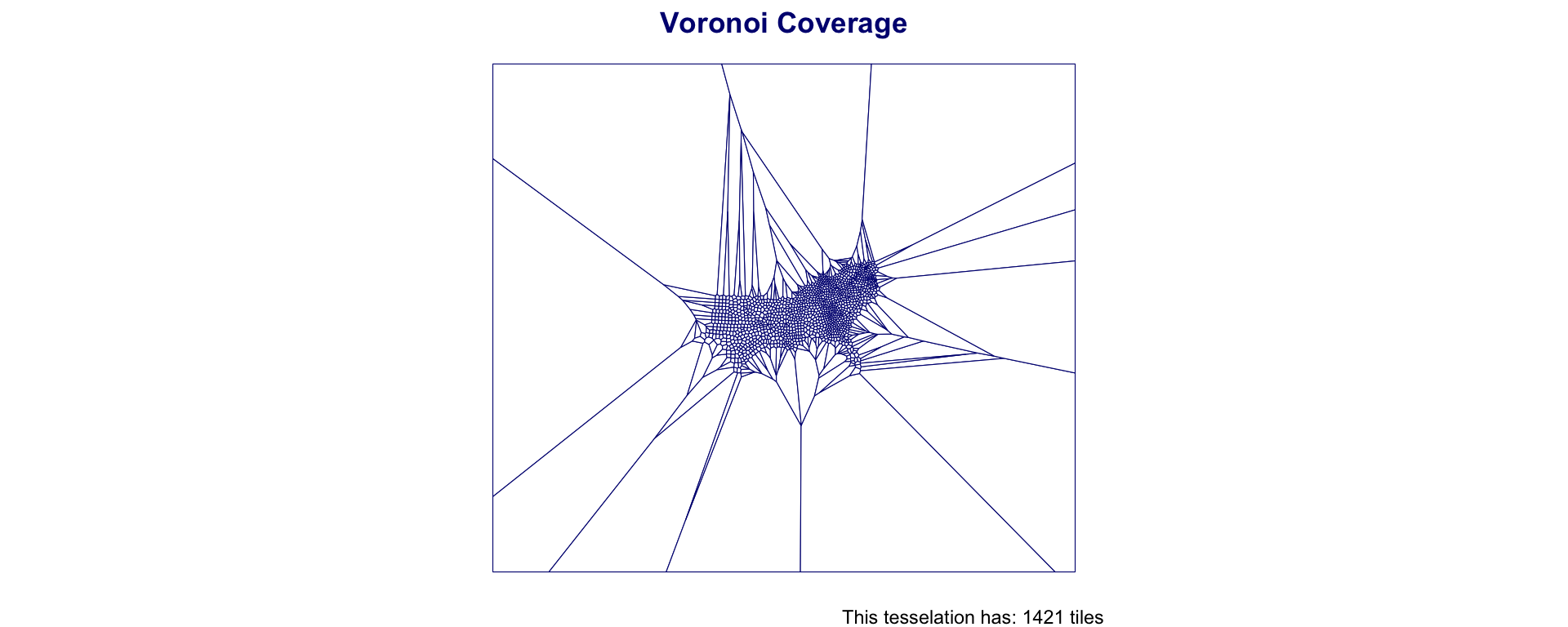
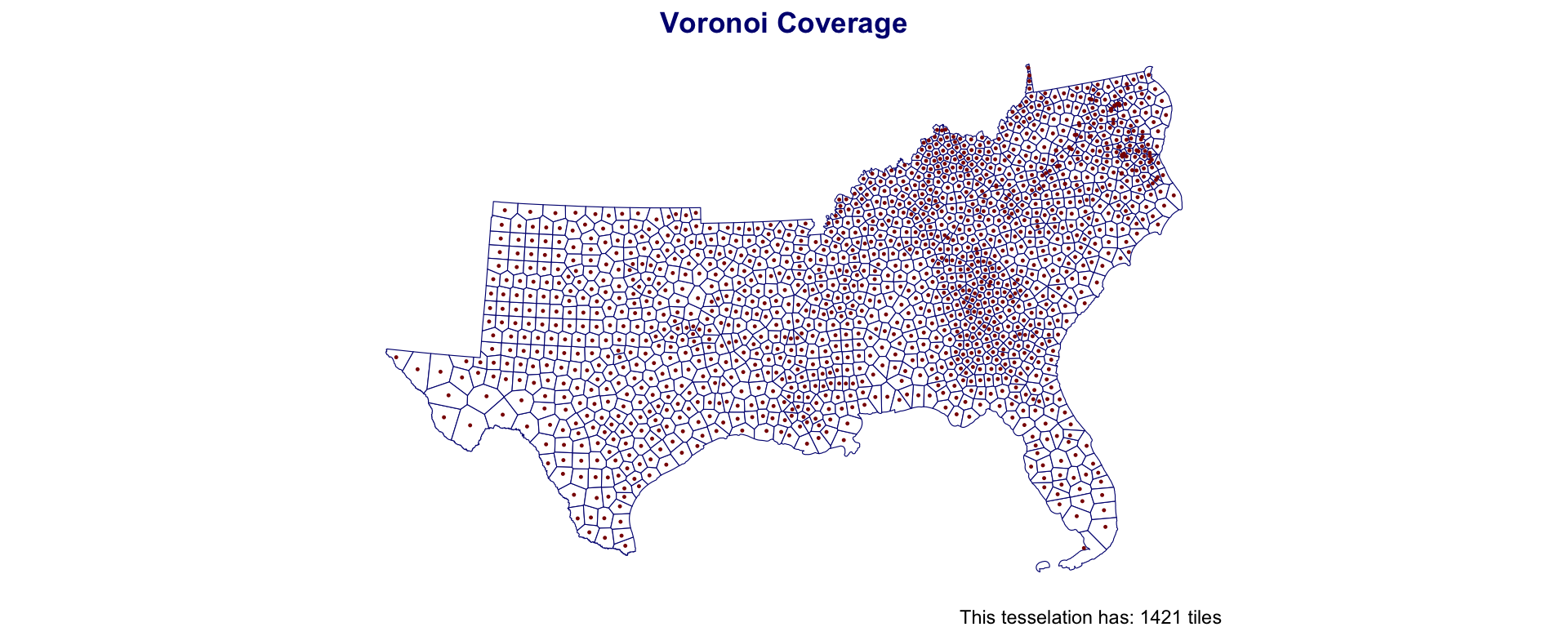
Voronoi/Thiessen polygon boundaries define the area closest to each anchor point relative to all others
They are defined by the perpendicular bisectors of the lines between all points.
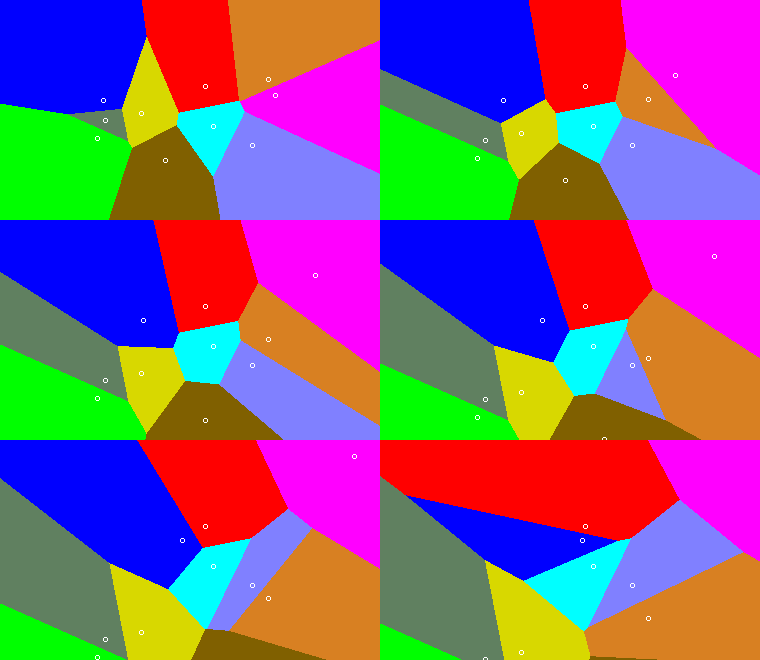


st_voronoist_voronoi creates voronoi tesselation in sf
It works over a MULTIPOINT collection
Should always be simplified after creation (st_cast())
If to be treated as an object for analysis, should be id’d
The Delaunay triangulation of a discrete POINT set corresponds to the dual graph of the Voronoi diagram.
The circumcenters (center of circles) of Delaunay triangles are the vertices of the Voronoi diagram.
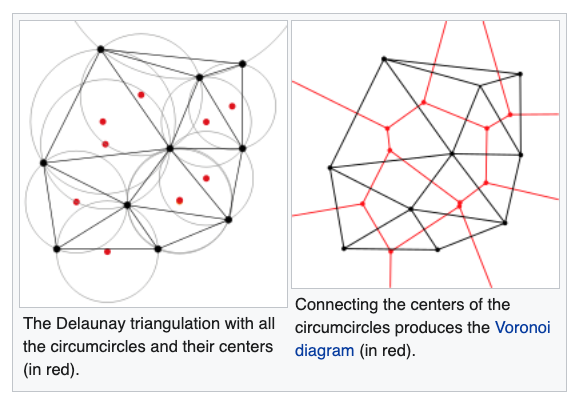

st_triangulatest_triangulate creates Delaunay triangulation in sf
It works over a MULTIPOINT collection
Should always be simplified after creation (st_cast())
If to be treated as an object for analysis, should be id’d
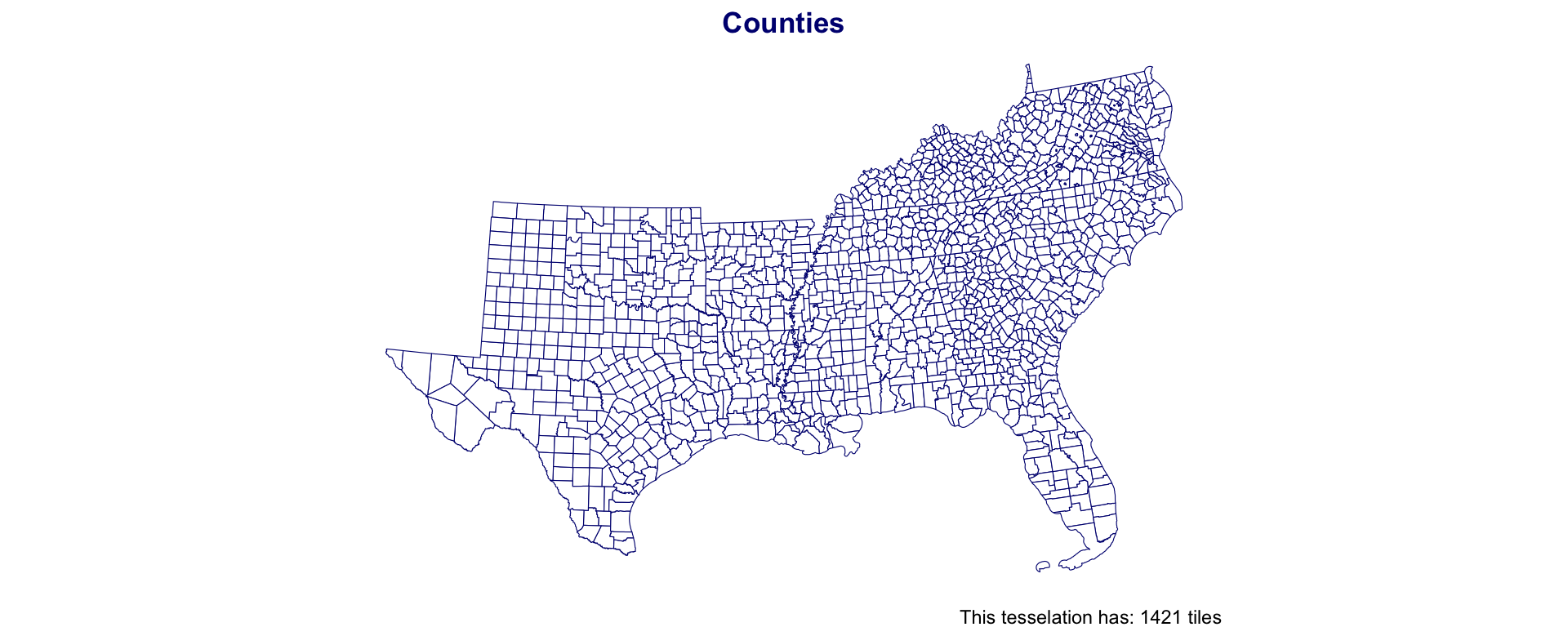
| Type | Elements | Mean Area (km2) | Standard Deviation Area (km2) | Coverage Area |
|---|---|---|---|---|
| triangulation | 2,828 | 832 | 557 | 2,352,287 |
| voronoi | 1,421 | 1,688 | 1,046 | 2,398,382 |
| counties | 1,421 | 1,688 | 1,216 | 2,398,382 |
| grid | 3,500 | 1,470 | 0 | 5,144,367 |
| Hexagon | 3,789 | 1,425 | 0 | 5,398,416 |
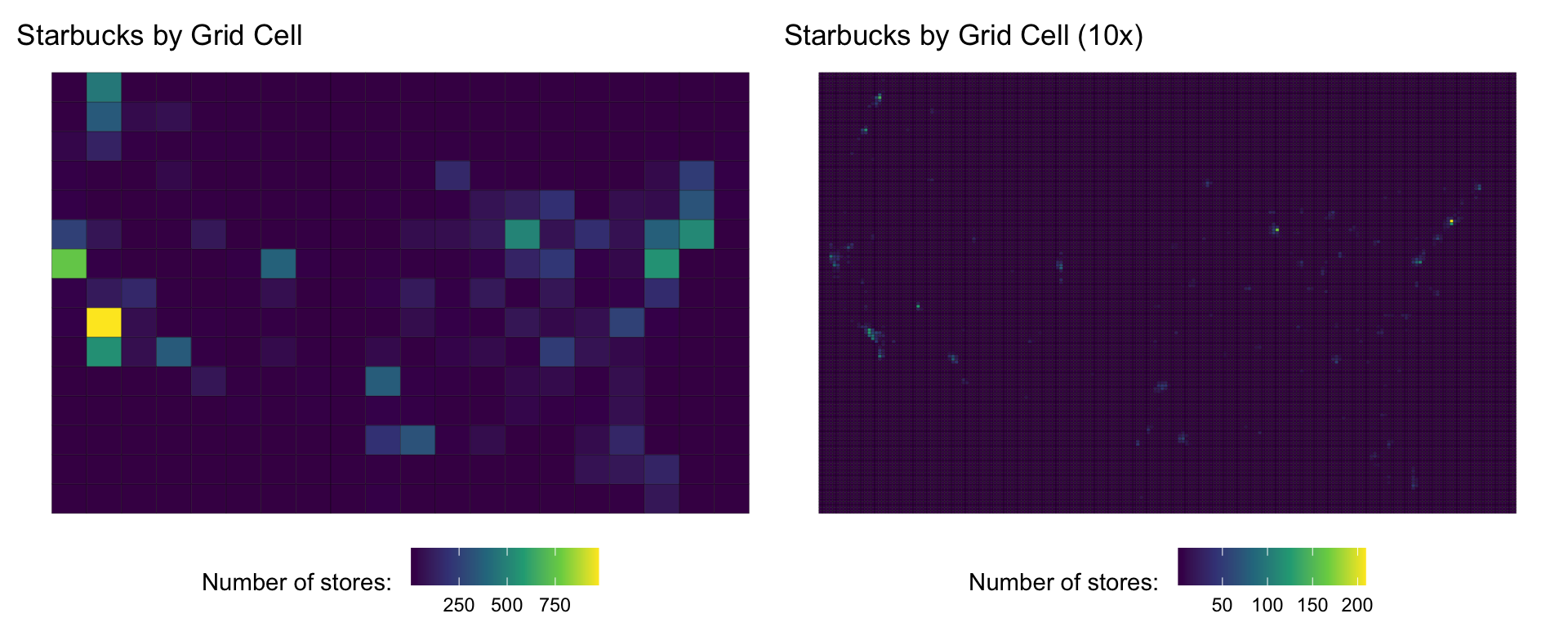
The modifiable areal unit problem (MAUP) is a source of statistical bias that can significantly impact the results of statistical hypothesis tests.
MAUP affects results when point-based measures are aggregated into districts.
The resulting summary values (e.g., totals or proportions) are influenced by both the shape and scale of the aggregation unit.
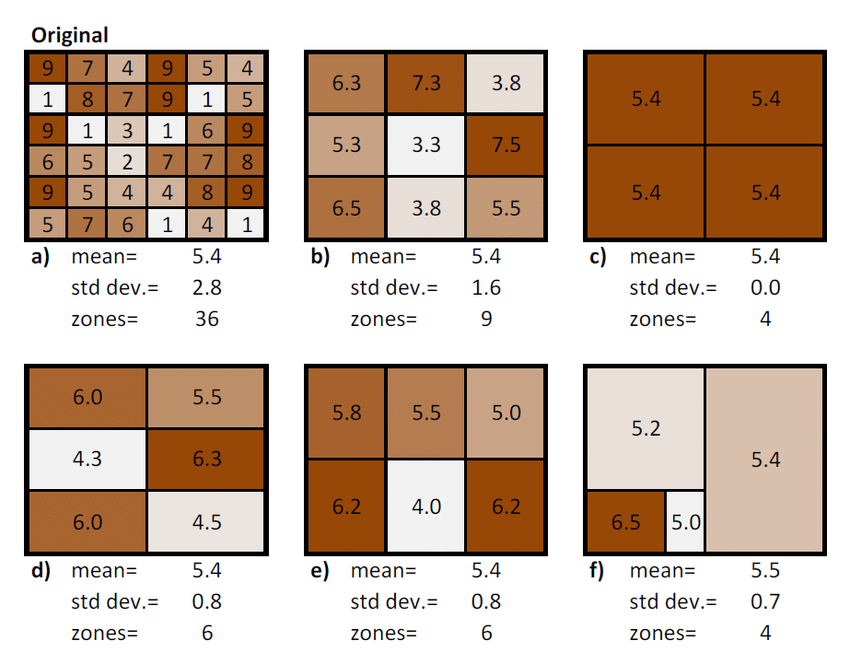
#> Fine grid - Mean: 11.81 SD: 44.57
#> Medium grid - Mean: 45.24 SD: 113.85
#> Coarse grid - Mean: 168.49 SD: 271.16
The power of GIS is the ability to integrate different layers and types of information
The scale of information can impact the analysis as can the grouping and zoning schemes chosen
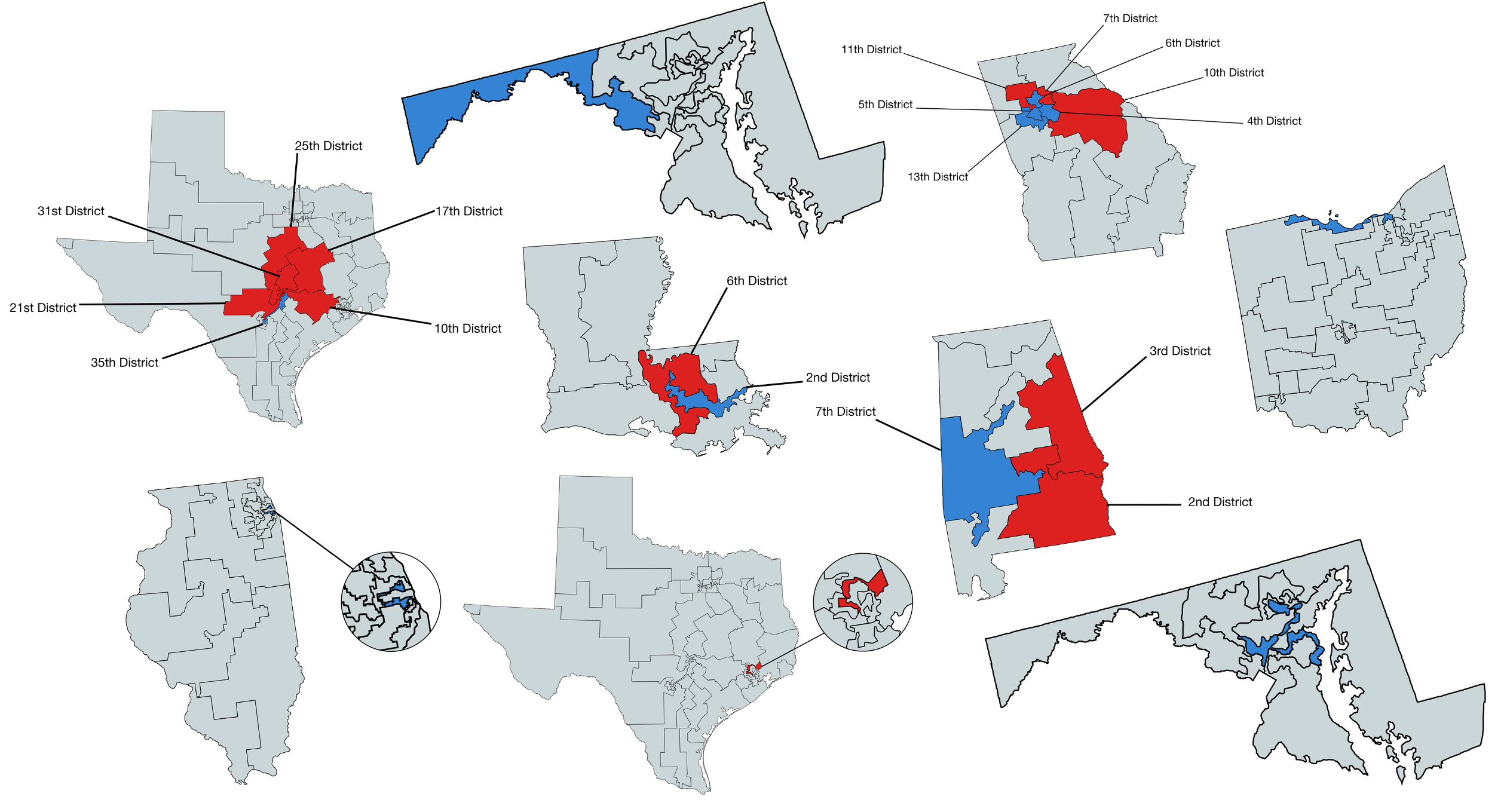
The Modifiable Areal Unit Problem (MAUP) is an important issue for those who conduct spatial analysis using units of analysis at aggregations higher than incident level.
The MAUP occurs when the aggregate units of analysis are arbitrarily produced or not directly related to the underlying phenomena. A classic example of this problem is Gerrymandering.
Gerrymandering involves shaping and re-shaping voting districts based on the political affiliations of the resident citizenry.
So far, we have learned that geometric choices change analysis:
Spatial statistics adds one new question:
Do nearby observations tend to have similar values?
If the answer is yes, then geometry is not just changing the map — it is changing the inference.
Story of this section:
WW to test for clusteringCore idea: spatial data are rarely independent.
So before modeling, we need a formal way to say who is near whom.
This is why spatial statistics exists: not because maps are fancy, but because location changes the assumptions behind inference.
So what for water resources?
This is where prior content matters.
We already know how to encode spatial relationships with predicates:
st_touches() → shared bordersst_intersects() → overlapst_is_within_distance() → distance-based neighborsThese are not just GIS operations.
They are how we turn geometry into a statistical definition of neighborhood.
Key point: the choice of predicate is already a modeling choice.
Water-resources implication: a watershed adjacency rule, stream-network rule, or Euclidean distance rule may imply very different hydrologic processes.
WW is a formal encoding of who counts as near whom.
w_ij > 0 means location j contributes to location iw_ij = 0 means they are not neighborsThis is the bridge from geometry to spatial inference.
So what? If you care about regionalization, transfer learning, model validation, gage networks, or hotspot detection, you are already making choices that belong in W.
W in 3 steps1. Define neighbors
1 = neighbors, 0 = not neighbors
#> Neighbor counts (min / mean / max): 3 4.44 8
#> [,1] [,2] [,3] [,4] [,5] [,6]
#> [1,] 0 1 0 1 1 0
#> [2,] 1 0 1 1 1 1
#> [3,] 0 1 0 0 1 1
#> [4,] 1 1 0 0 1 0
#> [5,] 1 1 1 1 0 1
#> [6,] 0 1 1 0 1 0
2. Remove self-links
A region is not its own neighbor
#> [1] 0 0 0 0 0 0
3. Row-standardize
Each row sums to 1, so the lag is a neighbor average
#> [,1] [,2] [,3] [,4] [,5] [,6]
#> [1,] 0.00 0.33 0.00 0.33 0.33 0.00
#> [2,] 0.20 0.00 0.20 0.20 0.20 0.20
#> [3,] 0.00 0.33 0.00 0.00 0.33 0.33
#> [4,] 0.20 0.20 0.00 0.00 0.20 0.00
#> [5,] 0.12 0.12 0.12 0.12 0.00 0.12
#> [6,] 0.00 0.20 0.20 0.00 0.20 0.00
Row-standardizing makes the spatial lag easier to interpret.
Without it:
With it:
It does not remove the modeling choice — it just makes the choice easier to work with.
W lets us doOnce we have W, we can ask statistical questions about pattern.
Most important first question:
Are nearby values more similar than we would expect by chance?
That is the core idea behind spatial autocorrelation.
For a first pass, the main tool is Moran’s I.
Moran’s I summarizes whether similar values cluster in space.
Interpretation:
It is a global summary: one value for the whole study area.
Mental model: Moran’s I is asking whether values line up with their neighborhood averages more than a random rearrangement would.
Water-resources implication: if streamflow error, nutrient concentration, or flood exposure has strong positive spatial autocorrelation, then nearby units are carrying shared information — and naive independence assumptions can mislead you.
When you see a Moran’s I result, ask three questions:
A Moran’s I value is never just “about the data.” It is always about the data plus the chosen W.
We will use a simple areal example:
st_touches()This example is simplified, not definitive. Its purpose is to make the statistical logic visible before moving to real research settings.
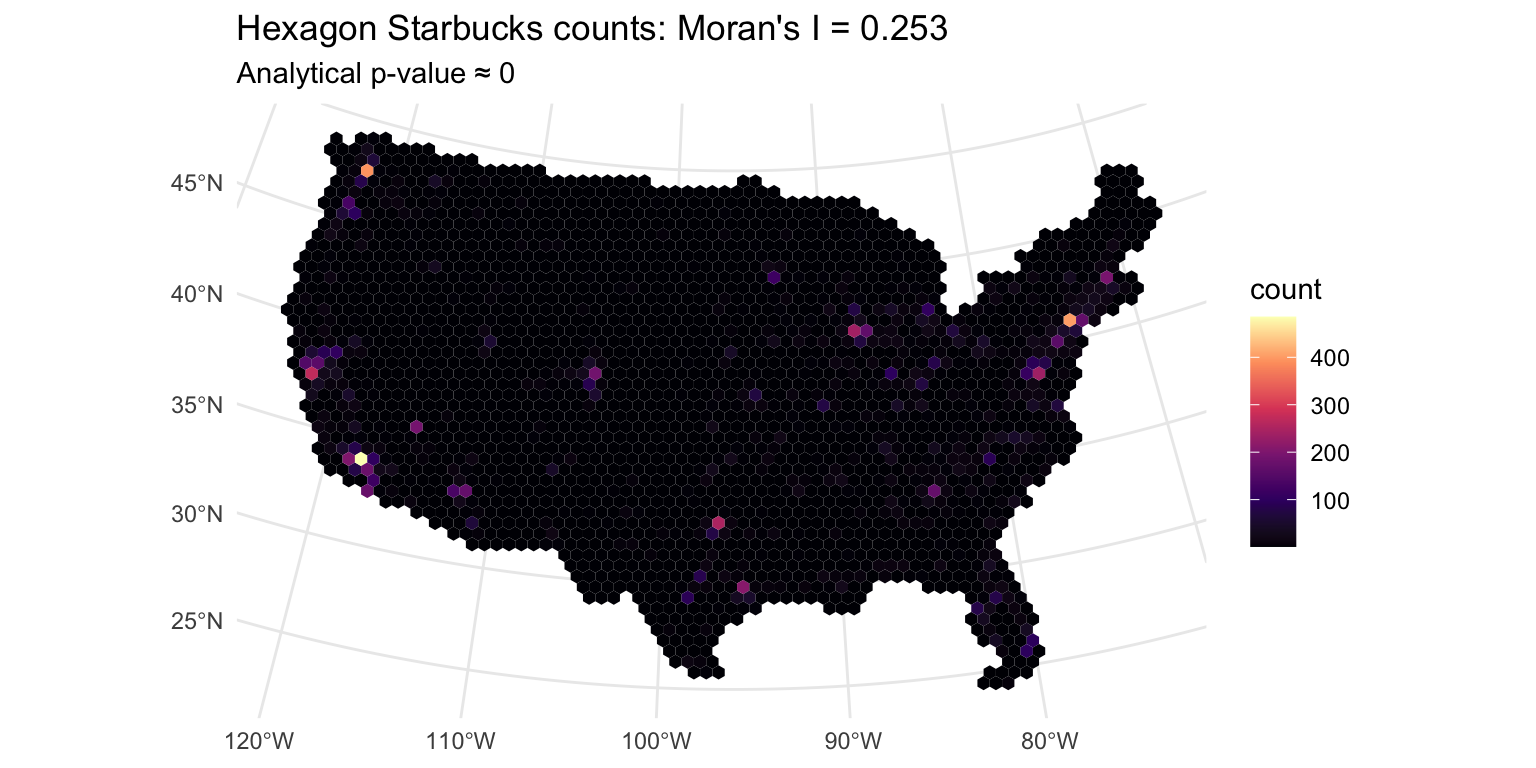
Teaching takeaway: similar values are clustering in space, so this pattern is not well described as iid randomness.
Interpretation in plain English: places with lots of Starbucks tend to be near places with lots of Starbucks; places with few tend to be near places with few.
So what for water resources research?
Moran’s I gives us one number for the whole map.
That is useful, but it hides where the pattern is happening.
To get local intuition, we introduce two related ideas:
Why this matters:
Spatial lag
WFormula:
\[ ext{lag}(x)_i = \sum_j w_{ij} x_j\]
LISA
For now, think of LISA as the local companion to Moran’s I.
The calculation follows directly from W:
W#> counts: 1, 2, 3, 4, 5, 6, 7, 8, 9
#> lag values: 3.67, 3.8, 4.33, 4.6, 5, 5.4, 5.67, 6.2, 6.33
Interpretation:
Water-resources implication: this is the local logic behind identifying coherent flood-prone regions, drought clusters, unusually impaired reaches, or stations behaving unlike their surroundings.
The spatial lag is the weighted neighborhood average:
\[ ext{lag}(x) = W x\]
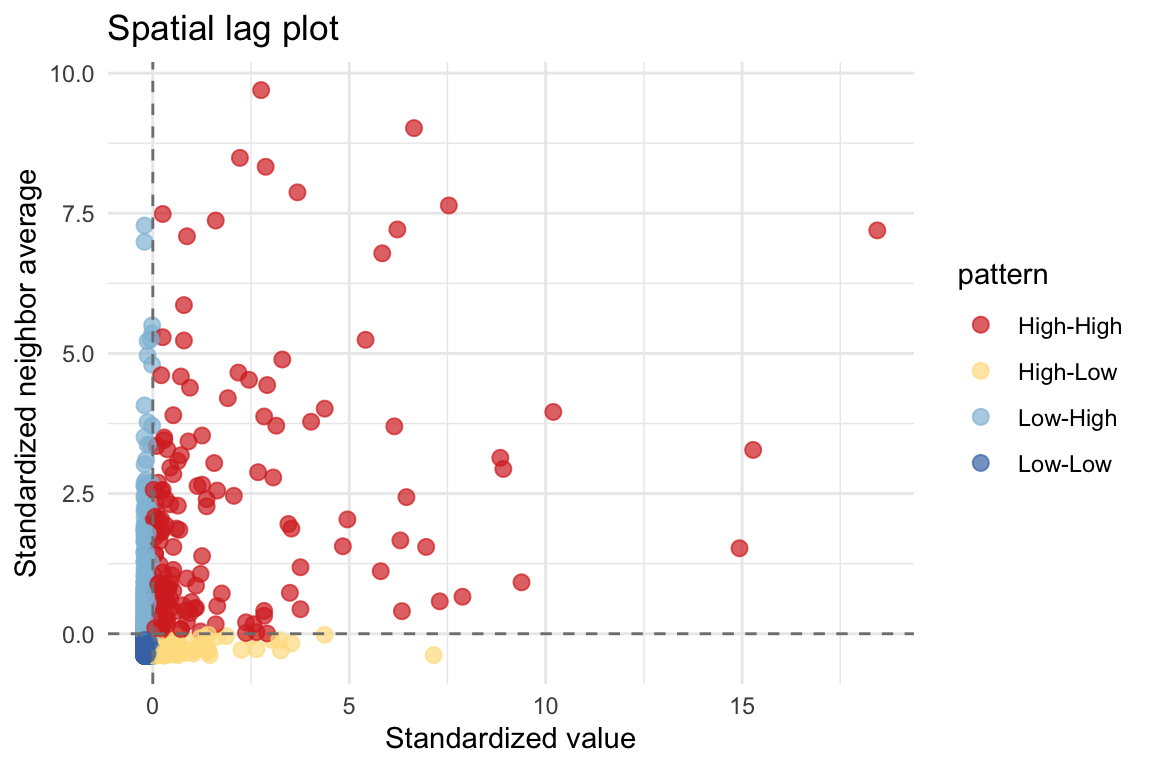
This gives local intuition:
The lag plot helps make visible what Moran’s I compresses into one number.
Start with the global pattern, then look for local structure. That progression makes the map easier to interpret.
A global Moran’s I gives one number for the whole map.
A local view asks:
Where are the high-high and low-low areas?
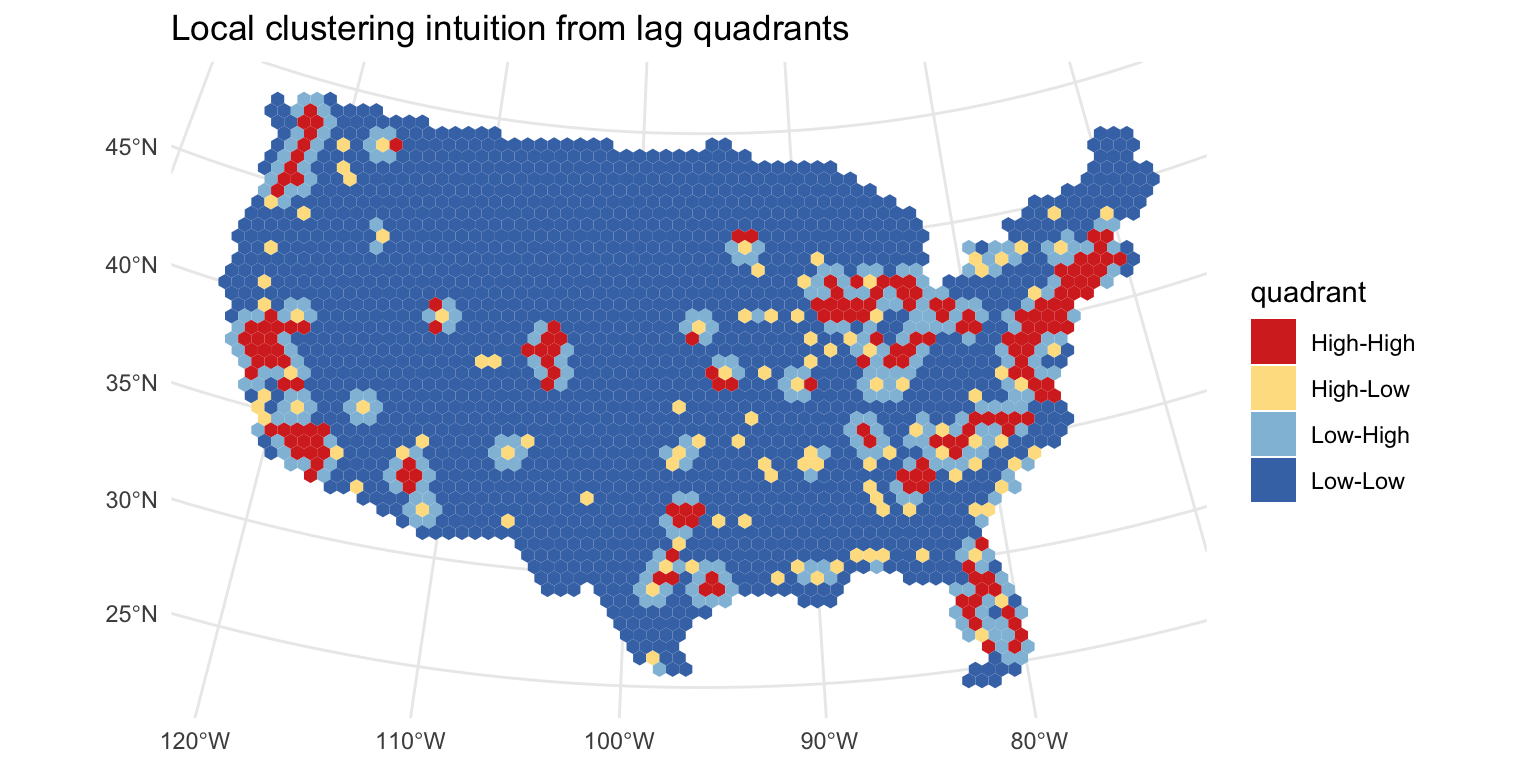
This is a useful bridge to LISA without overloading the first lesson with full local significance testing.
So what? Local patterns are often what matter operationally: where should we investigate, intervene, monitor, or transfer information with caution?

This is the key bridge back to prior content.
The same point data can produce different statistical results when we change the spatial units.
| tessellation | tiles | avg_neighbors | moran_I | p_value |
|---|---|---|---|---|
| Hexagon | 2310 | 5.77 | 0.253 | 0 |
| Square | 3131 | 7.70 | 0.246 | 0 |
| Voronoi | 2500 | 5.98 | 0.279 | 0 |
Interpretation: W is not a fact of nature. It depends on the geometry we choose.
Water-resources implication: conclusions about “regional pattern” can change when you move from HUCs to grid cells, from catchments to counties, or from areal neighbors to stream-network neighbors.
When tessellation changes, three things can change together:
So a spatial statistic is not just a property of the phenomenon. It is also a property of the representation.
This is why MAUP is not a side note — it is a warning label.
Research takeaway: when your paper makes a spatial claim, you should be ready to explain why your spatial units and neighborhood rule are substantively defensible.
W as obvious or neutralSafer habit: always describe how neighbors were defined and why that definition is substantively reasonable.
In water resources research, this means: tie your spatial definition back to process — flow connectivity, basin similarity, meteorology, infrastructure, administration, or management scale.
WThat is why geometry matters statistically, not just visually.
Bottom line for water resources: spatial statistics helps you decide whether apparent regional pattern is signal, artifact, or some mixture of both.
Today’s core lesson is:
What comes next in a fuller course:
We will treat those as extensions, not the main story of this first introduction.
A shared-border rule is not the only option.
Both are reasonable in different settings. Changing this choice changes W, and that can change Moran’s I.
Areal autocorrelation asks whether nearby units have similar values.
Geostatistics asks how similarity changes with distance in continuous space.
For this first lesson, the main point is just that these are related, but not identical, branches of spatial statistics.
OLS Assumption: Observations are independent (residuals are uncorrelated)
Spatial Data Reality: Nearby regions often have correlated attributes
Consequences of violating independence:
| Problem | Impact |
|---|---|
| Standard errors too narrow | Over-confident estimates |
| t-statistics inflated | Too many false positives |
| 95% CI doesn’t cover 95% | Invalid inference |
| Type I error rate > 5% | Wrong conclusions |
Solution: Use spatial statistics that explicitly model dependence
Global Moran’s I = Average clustering across entire region
LISA (Local Indicator of Spatial Association) = Clustering at each location
LISA Quadrants (from Moran scatterplot):
🔴 High-High (red)
🔵 Low-Low (blue)
🟠 High-Low (orange)
🟢 Low-High (green)
In practice: LISA identifies which specific neighborhoods drive the global Moran’s I signal
#> LISA plots unavailable: tessellation computation not run.
Now that you understand spatial dependence, the next step is modeling it
Three spatial regression approaches:
You can now look at any spatial dataset and ask: “Are these observations spatially dependent? Which tessellation makes sense? What does that imply for my statistical model?”
You’ll implement these models in Lab-03.